Barcode Contrast Explained: Why Some Barcodes Scan Instantly While Others Fail
Barcode Contrast Explained
If you've ever wondered why one barcode scans instantly while another requires several attempts-or fails completely-the answer is often barcode contrast.
Barcode contrast is one of the most important factors affecting barcode readability. Even if a barcode is printed at the correct size with perfect dimensions, poor contrast can make it difficult or impossible for a scanner to decode.
This guide explains what barcode contrast is, why it matters, and how to produce high-quality barcodes that scan reliably every time.
What Is Barcode Contrast?
Barcode contrast is the difference in reflectance between the darkest bars (or modules) and the lightest background (spaces).
In simple terms:
- The dark bars should absorb light.
- The light background should reflect light.
- The bigger the difference, the easier the scanner can distinguish them.
Think of reading black text on white paper-it is easy because the contrast is high.
Now imagine reading light gray text on a white page. It becomes much harder.
Barcode scanners work in exactly the same way.
Simple Illustration
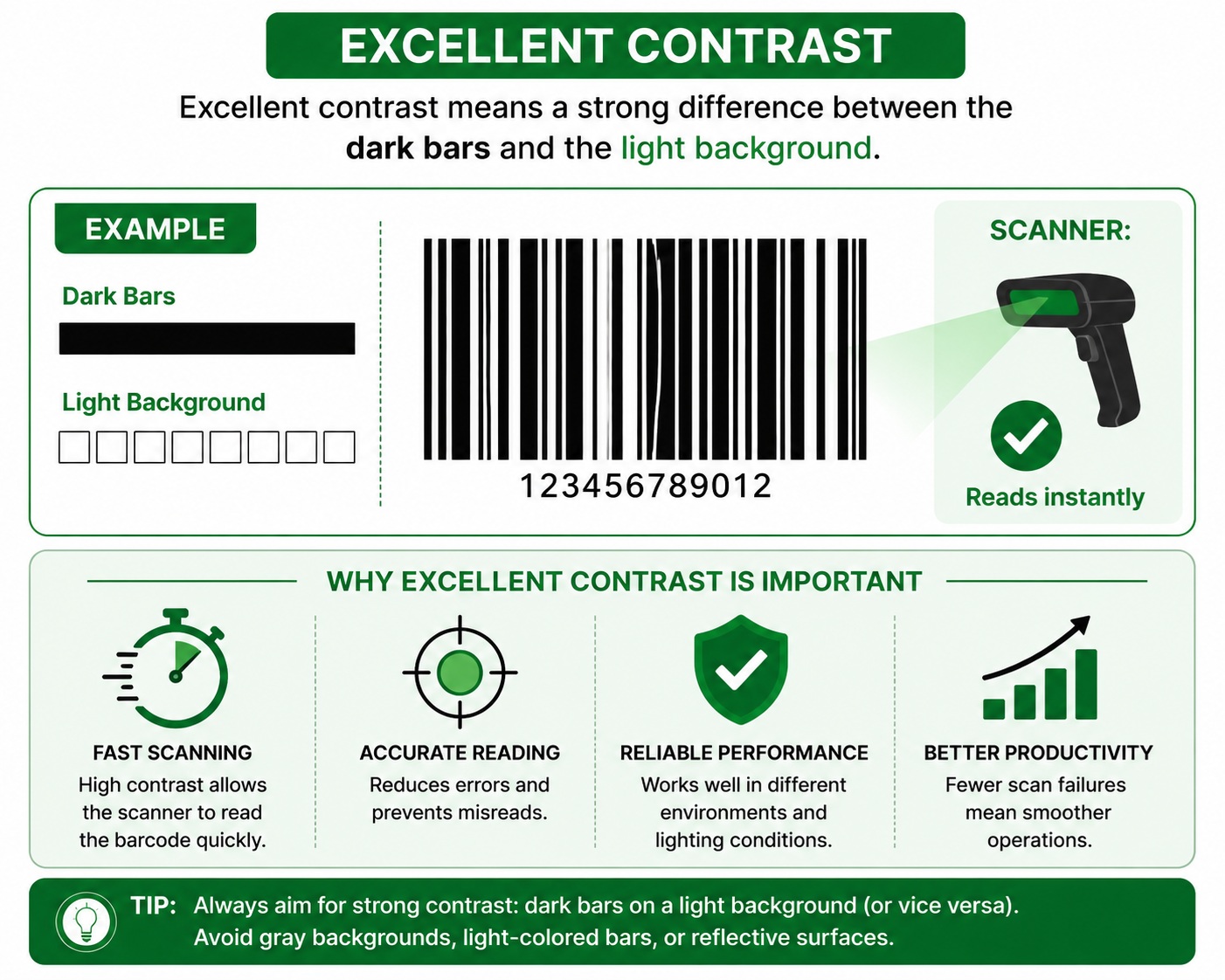
Excellent Contrast
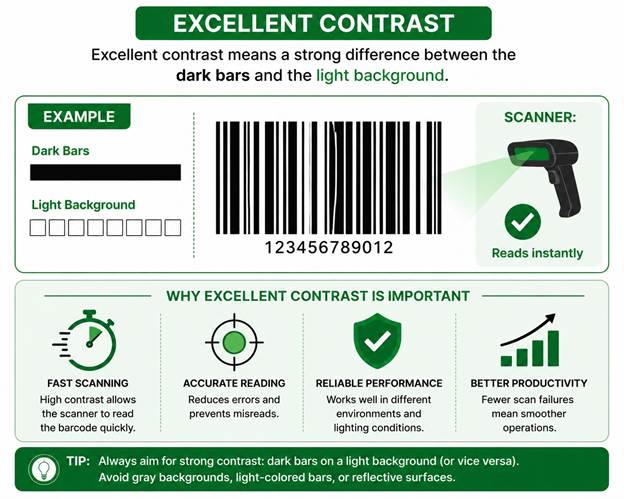
Scanner:
✓ Reads instantly
Poor Contrast
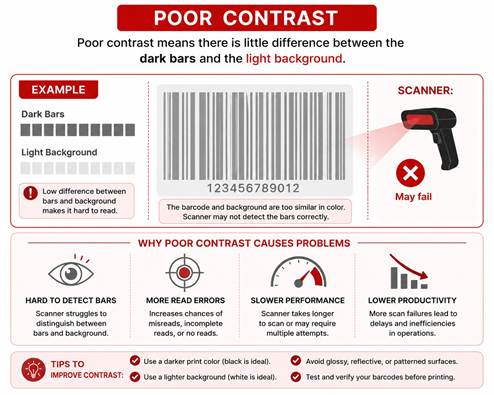
Scanner:
✗ May fail
Why Is Contrast Important?
Barcode scanners do not read the printed ink itself.
Instead, they measure reflected light.
When the scanner shines its light:
- White areas reflect more light.
- Black areas reflect less light.
The scanner detects the difference and converts it into digital data.
If both colors reflect nearly the same amount of light, the scanner cannot determine where the bars begin and end.
How Barcode Scanners See Contrast
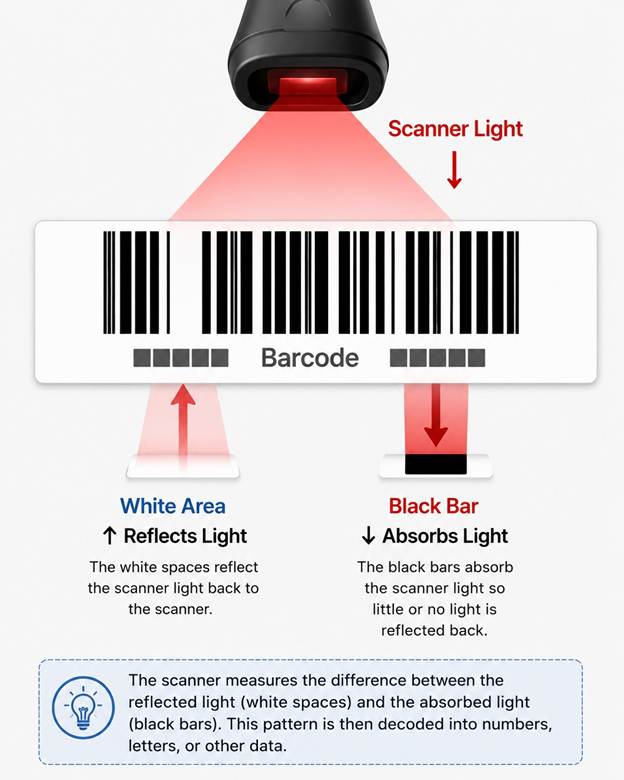
Scanner converts the difference into data.
What Is Good Barcode Contrast?
The ideal combination is:
|
Bar Color |
Background |
Result |
|
Black |
White |
★★★★★ Excellent |
|
Dark Blue |
White |
★★★★☆ Very Good |
|
Dark Green |
White |
★★★★☆ Good |
|
Dark Brown |
White |
★★★★☆ Good |
|
Red |
White |
★☆☆☆☆ Usually Poor |
|
Yellow |
White |
★☆☆☆☆ Poor |
|
Orange |
White |
★☆☆☆☆ Poor |
The darker the bars and the lighter the background, the better.
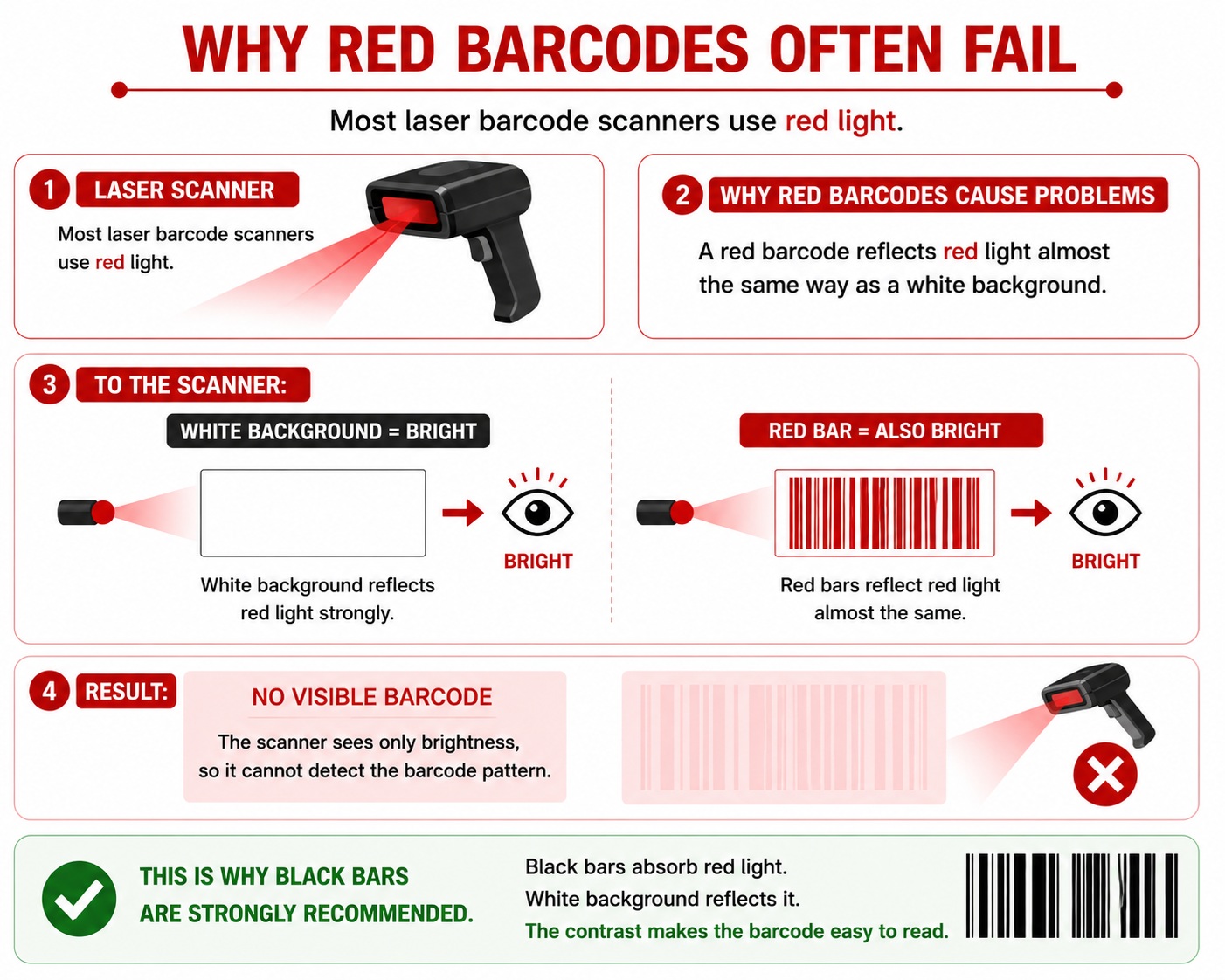
Why Red Barcodes Often Fail
Most laser barcode scanners use red light.
A red barcode reflects red light almost the same way as a white background.
To the scanner:
White Background = Bright
Red Bar = Also Bright
Result:
No visible barcode
This is why black bars are strongly recommended.
Common Causes of Poor Barcode Contrast
1. Low Ribbon Quality
Using a poor-quality thermal transfer ribbon may produce faded bars.
Example:
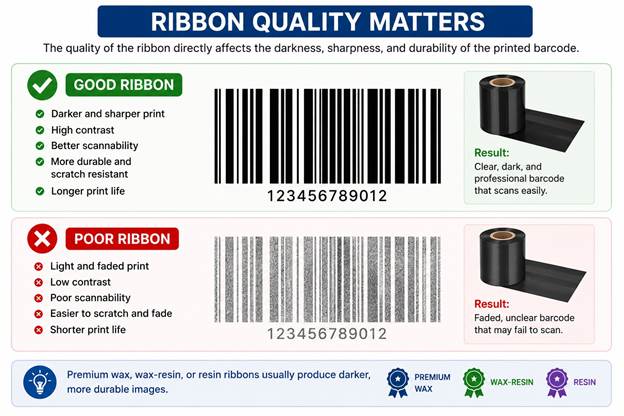
Premium wax, wax-resin, or resin ribbons usually produce darker, more durable images.
2. Dirty Printhead
Dust and adhesive buildup reduce print darkness.
Symptoms include:
- Missing lines
- Light bars
- Uneven printing
- Scan failures
Regular printhead cleaning helps maintain contrast.
3. Incorrect Print Darkness
If the printer's darkness setting is too low:
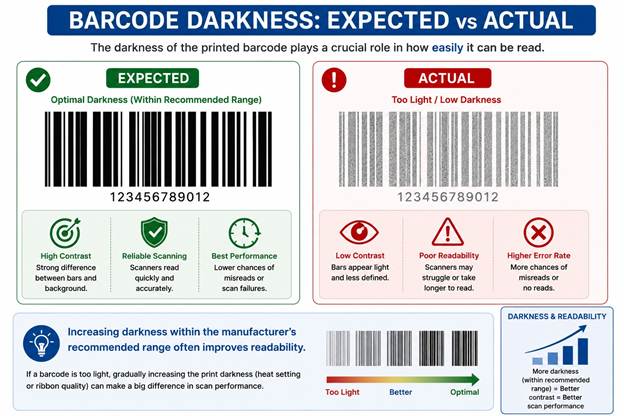
Increasing darkness within the manufacturer's recommended range often improves readability.
4. Wrong Label Material
Some glossy or colored label materials reduce the difference between bars and spaces.
For best results:
- White matte paper labels
- White synthetic labels
- White polyester labels
5. Ribbon and Label Mismatch
Using a wax ribbon on a synthetic label may produce lighter printing.
Always match the ribbon to the label material:
|
Label Material |
Recommended Ribbon |
|
Paper |
Wax |
|
Coated Paper |
Premium Wax |
|
Synthetic (PP) |
Wax-Resin |
|
Polyester (PET) |
Resin |
Barcode Contrast in Thermal Printing
Thermal printers create contrast in two ways.
Direct Thermal
The printhead darkens heat-sensitive paper directly.
Contrast depends on:
- Paper quality
- Printhead condition
- Heat settings
Thermal Transfer
The ribbon transfers ink onto the label.
Contrast depends on:
- Ribbon type
- Ribbon quality
- Printhead temperature
- Label surface
Barcode Contrast in 1D and 2D Barcodes
Good contrast is equally important for both.
1D Barcodes
Examples:
- Code 128
- Code 39
- EAN-13
- UPC-A
Poor contrast makes it difficult to distinguish narrow and wide bars.
2D Barcodes
Examples:
- QR Code
- Data Matrix
- PDF417
- Aztec
Poor contrast makes it harder for scanners to identify the individual modules (small squares), increasing decoding errors.
Barcode Verification and Contrast
Professional barcode verifiers measure Symbol Contrast (SC).
They calculate the difference between:
- Maximum reflectance (light areas)
- Minimum reflectance (dark areas)
Higher symbol contrast generally results in higher verification grades.
Tips to Improve Barcode Contrast
- Use black printing on a white label whenever possible.
- Choose the correct ribbon for the label material.
- Increase print darkness if the barcode appears faded.
- Clean the printhead regularly.
- Replace worn printheads when print quality declines.
- Use high-quality labels with a bright white surface.
- Verify critical barcodes before large production runs.
Common Mistakes
Avoid these combinations:
- Gray on white
- Red on white
- Orange on yellow
- Light blue on white
- Metallic silver without proper testing
- Gold labels with standard wax ribbon
- Low-quality thermal paper for long-term applications
Frequently Asked Questions
Can a barcode be too dark?
Yes. Excessive darkness can cause bars to spread (ink gain or heat spread), making them wider than intended and reducing scan reliability.
Does barcode color matter?
Absolutely. The scanner detects differences in reflected light, not just visible color. Black on white remains the safest and most reliable combination.
Why does my barcode scan with my phone but not an industrial scanner?
Smartphones use cameras and image processing, while many dedicated barcode scanners rely on reflected light. A barcode with marginal contrast may still work on a phone but fail on a laser or industrial scanner.
How can I test barcode contrast?
Use a barcode verifier for precise measurements, or compare prints using multiple scanners. If one print consistently scans faster and more reliably, it likely has better contrast.
Conclusion
Barcode contrast is one of the most critical factors in barcode performance. A well-designed barcode with poor contrast can fail just as easily as a poorly designed one. By using dark, opaque printing on a bright background, selecting the right ribbon and label combination, and maintaining your printer, you can dramatically improve scan reliability and reduce costly scanning errors.