Linear vs 2D Barcodes: What's the Difference? A Beginner's Guide
If you're new to barcodes, you've probably wondered:
Why do some barcodes look like black vertical lines, while others look like little squares?
The answer is simple:
There are two main categories of barcodes:
- 1D (Linear) Barcodes
- 2D Barcodes
Both perform the same basic job-storing information that can be read by a scanner-but they do it in very different ways.
Understanding these differences will help you choose the right barcode for retail products, warehouse labels, shipping labels, manufacturing, healthcare, or asset tracking.
What Is a Linear (1D) Barcode?
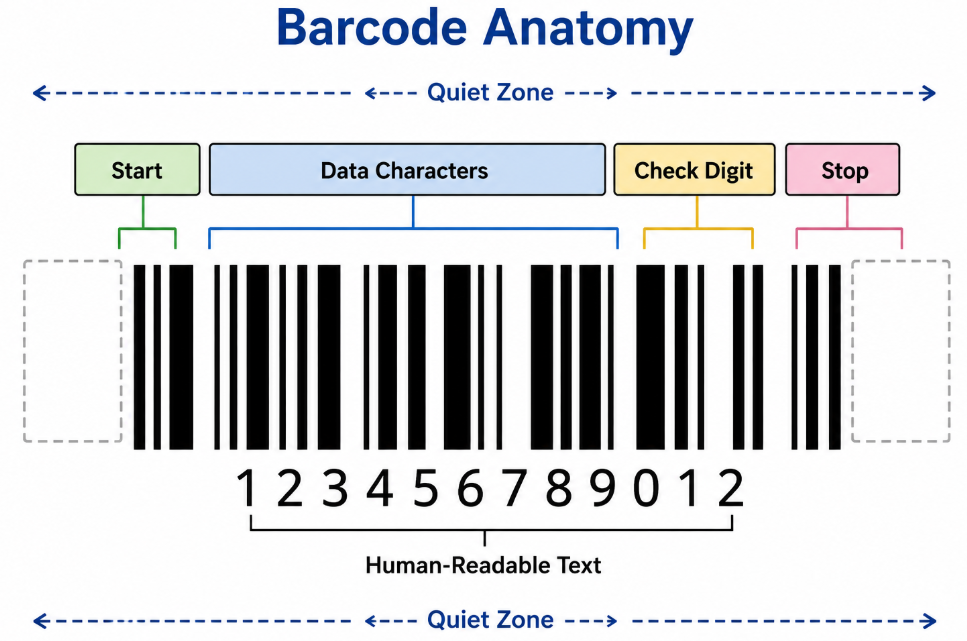
A 1D barcode, also called a Linear Barcode, stores information using vertical black bars and white spaces.
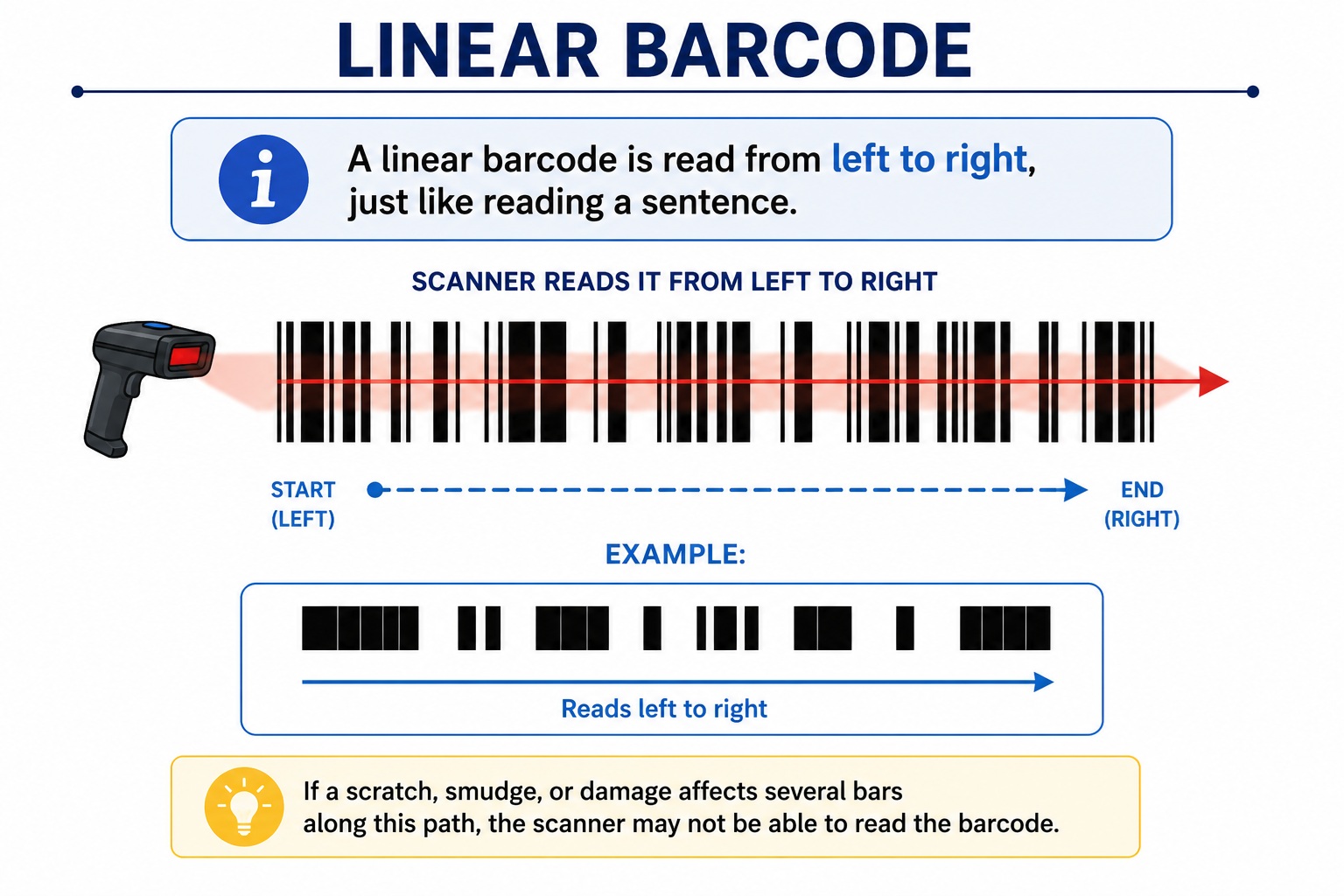
The scanner reads it from left to right, just like reading a sentence.
Example:
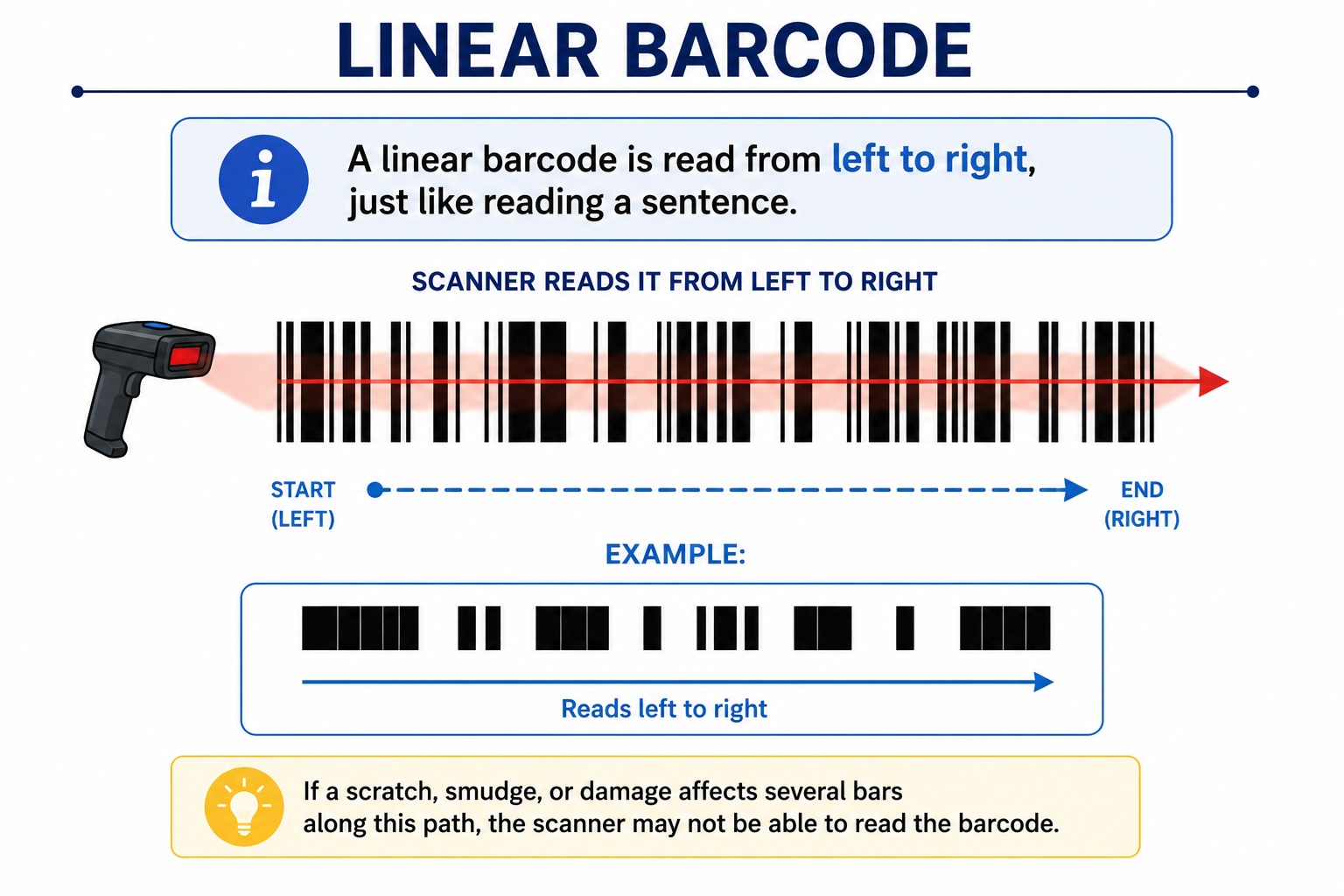
Typical examples include:
- Code 128
- Code 39
- EAN-13
- UPC-A
- ITF-14
- Codabar
These are the barcodes you see on supermarket products every day.
What Is a 2D Barcode?
A 2D barcode stores information using tiny square modules arranged in rows and columns.
Instead of storing information in one direction, it stores data both horizontally and vertically.
Examples include:
- QR Code
- Data Matrix
- PDF417
- Aztec Code
A scanner captures the entire image at once instead of reading a single horizontal line.
The Biggest Difference
Imagine writing on paper.
Linear Barcode
You can only write on one line.
HELLO12345
Once the line is full, you need a longer piece of paper.
2D Barcode
You can write on many rows.
HELLO
12345
ABCDE
67890
The same amount of data fits into a much smaller area.
This is exactly how 2D barcodes work.
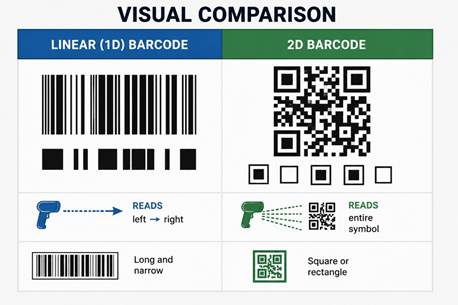
Visual Comparison
|
|
|
|
|
|
|
Reads left → right Reads entire symbol |
|
|
Long and narrow Square or rectangle |
|
How Each Barcode Is Read
Linear Barcode
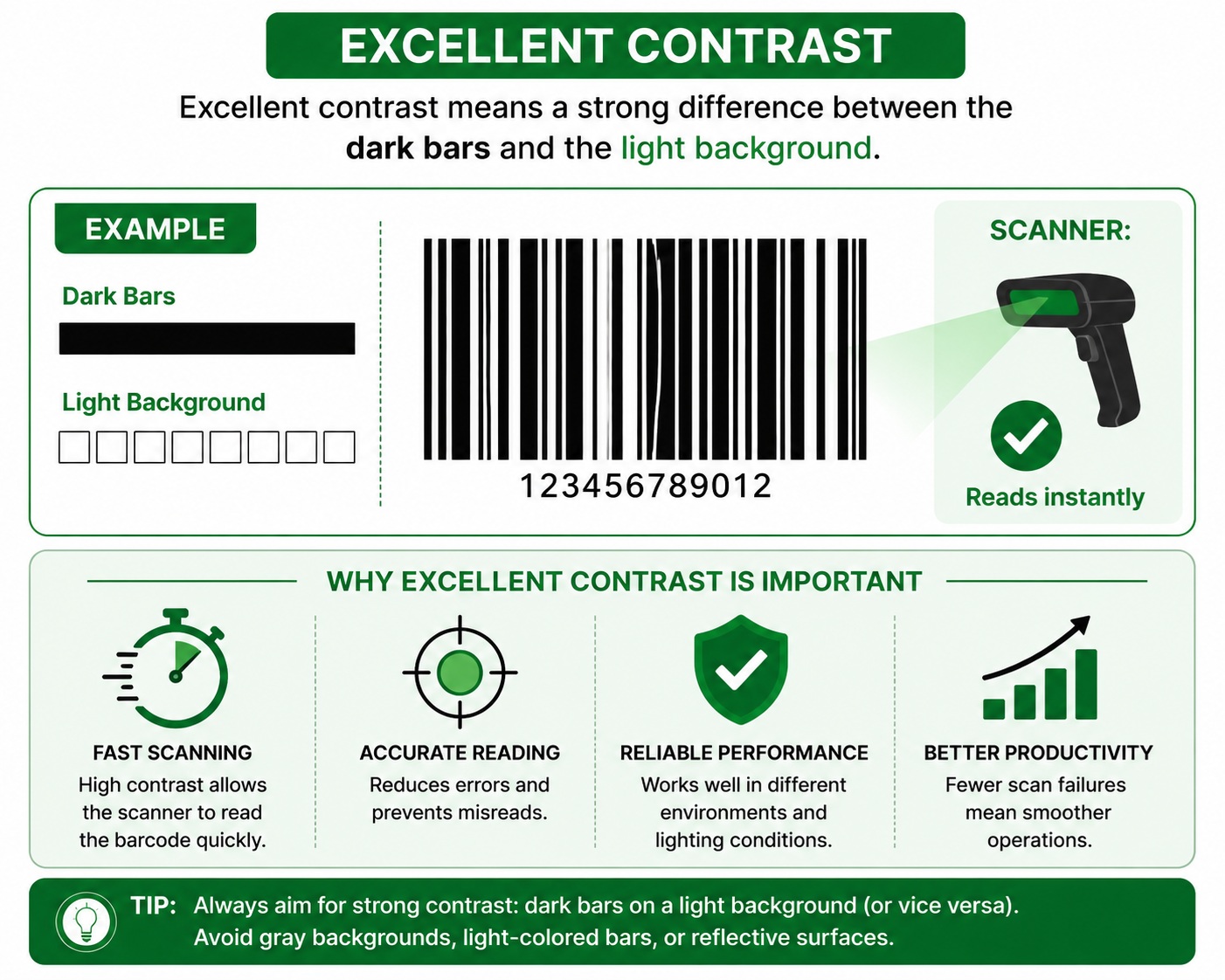
The scanner shines a laser or LED light across the barcode.
It measures:
- Black bars
- White spaces
- Bar widths
The pattern is decoded into numbers or letters.
2D Barcode
An imaging scanner or camera takes a picture of the entire barcode.
Software analyzes:
- Rows
- Columns
- Position patterns
- Error correction
The entire symbol is decoded simultaneously.
Information Storage
This is one of the biggest differences.
Linear Barcode
Usually stores only:
- Product ID
- Part number
- Serial number
- Asset number
Example:
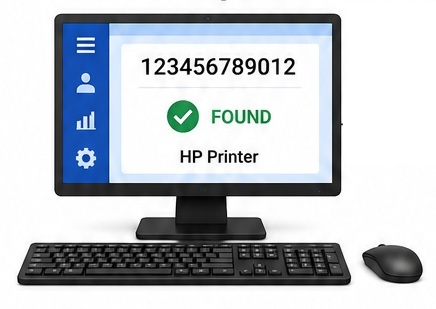
123456789012
The scanner then looks up the details in a database.
2D Barcode
Can store:
- Website addresses
- Contact information
- Product details
- Batch numbers
- Manufacturing dates
- Expiry dates
- Serial numbers
- Binary files
- GS1 data
- Wi-Fi credentials
Much more information fits into a compact symbol.
Data Capacity Comparison
|
Feature |
Linear Barcode |
2D Barcode |
|
Numeric data |
Tens of digits |
Thousands of digits |
|
Alphanumeric |
Limited |
Thousands of characters |
|
Binary data |
Very limited |
Yes |
|
URLs |
Not practical |
Excellent |
|
Images |
No |
No (but can encode links to them) |
Physical Size
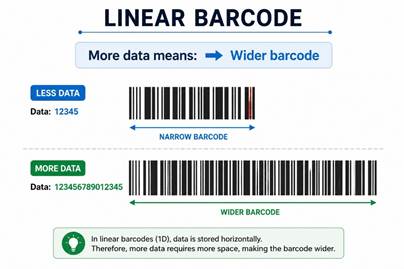
Linear Barcode
More data means:
➡️ Wider barcode
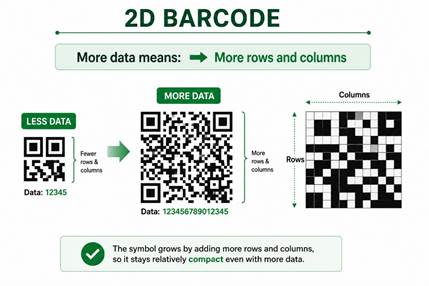
2D Barcode
More data means:
➡️ More rows and columns
Damage Resistance
Linear Barcode
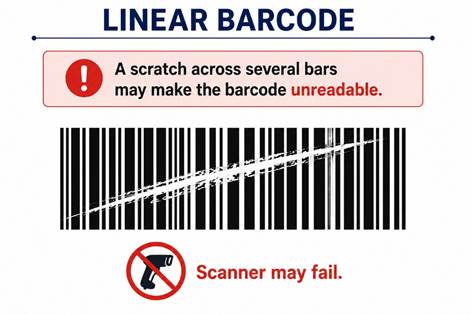
A scratch across several bars may make the barcode unreadable.
Scanner may fail.
2D Barcode
Most 2D barcodes include error correction.
Even if part of the barcode is damaged, the scanner can often reconstruct the missing data.
This is why QR Codes and Data Matrix symbols are common in industrial environments.
Scanners
Linear Barcodes
Can be read by:
- Laser scanners
- CCD scanners
- Imaging scanners
2D Barcodes
Require:
- Imaging scanners
- Camera-based scanners
- Smartphones (for many common 2D codes)
Traditional laser scanners cannot decode 2D symbols.
Speed
Linear Barcode
Excellent for:
- Supermarkets
- Retail checkout
- High-speed scanning
Laser scanners can read them almost instantly.
2D Barcode
Slightly more processing is involved, but modern imagers are extremely fast.
The ability to store more information often outweighs the small processing overhead.
Common Applications
Linear Barcodes
- Retail products
- Shipping labels
- Warehouse bins
- Inventory labels
- Asset tags
- Library books
2D Barcodes
- Product traceability
- Medical devices
- Electronic components
- Airline boarding passes
- Mobile payments
- Marketing campaigns
- Website links
- Manufacturing
- Direct Part Marking (DPM)
Advantages of Linear Barcodes
✔ Simple to create
✔ Very inexpensive
✔ Fast scanning
✔ Compatible with most scanners
✔ Ideal for product identification
Disadvantages of Linear Barcodes
✖ Limited data capacity
✖ Wider symbols for longer data
✖ Less tolerant of damage
✖ Usually depends on a database lookup
Advantages of 2D Barcodes
✔ Stores much more information
✔ Compact size
✔ Built-in error correction
✔ Can be scanned from different angles
✔ Suitable for direct part marking
✔ Excellent for traceability
Disadvantages of 2D Barcodes
✖ Requires an imaging scanner or compatible camera
✖ More complex to generate and verify
✖ Very small symbols require good print quality
Side-by-Side Comparison
|
Feature |
Linear (1D) |
2D Barcode |
|
Stores data |
One direction |
Two directions |
|
Shape |
Long rectangle |
Square or rectangle |
|
Data capacity |
Low |
Very high |
|
Barcode size |
Increases in width |
Increases in rows and columns |
|
Damage tolerance |
Low |
High |
|
Error correction |
Minimal |
Built-in (varies by symbology) |
|
Scanner |
Laser or imager |
Imaging scanner |
|
Retail checkout |
Excellent |
Good |
|
Direct Part Marking |
Limited |
Excellent |
|
Websites & URLs |
No |
Yes |
Which One Should You Choose?
Choose a Linear Barcode if:
- You only need a product or serial number.
- You use existing laser scanners.
- Fast retail scanning is your priority.
- Label width is not a concern.
Choose a 2D Barcode if:
- You need to store more information.
- Space on the label is limited.
- You require error correction.
- Products need lifetime traceability.
- You're working with medical, electronics, or industrial applications.
Real-World Examples
|
Industry |
Best Choice |
Why |
|
Supermarket |
EAN-13 (1D) |
Fast checkout and universal support |
|
Courier shipping |
Code 128 (1D) |
Efficient parcel identification |
|
Hospital |
Data Matrix |
Compact size and reliable traceability |
|
Manufacturing |
Data Matrix |
Permanent direct part marking |
|
Restaurant menu |
QR Code |
Customers can scan a website or menu |
|
Asset management |
Code 128 or QR Code |
Depends on whether only an ID or additional data is needed |
Frequently Asked Questions (FAQ)
Is a QR Code better than a linear barcode?
Not necessarily. QR Codes store much more information, but for simple product identification, a linear barcode is often faster, simpler, and more cost-effective.
Can a smartphone scan both types?
Yes. Most modern smartphones can scan QR Codes directly, and many can also read common 1D barcodes using the camera.
Which barcode is used in supermarkets?
Most supermarkets use EAN-13 or UPC-A, both of which are 1D (linear) barcodes.
Why do manufacturers use Data Matrix instead of Code 128?
Because Data Matrix stores more information in a smaller space and includes error correction, making it ideal for direct part marking and product traceability.
Can a laser scanner read a QR Code?
No. Traditional laser scanners are designed for 1D barcodes only. QR Codes and other 2D symbols require an imaging scanner or camera.
Final Thoughts
Linear and 2D barcodes each have their place. Linear barcodes are simple, fast, and perfect for product identification, while 2D barcodes provide much greater storage capacity, better damage resistance, and advanced traceability features.
For beginners, the easiest way to remember the difference is this:
- 1D (Linear): Best for simple identification and fast scanning.
- 2D: Best for storing more information in a smaller space with higher reliability.
Choosing the right barcode depends on how much data you need to encode, the available label space, the scanners you use, and the requirements of your application.