What Is a Quiet Zone in a Barcode? Complete Guide to Barcode Margins
What Is a Quiet Zone in a Barcode?
Many people assume that the black bars are the most important part of a barcode.
In reality, the empty white space surrounding the barcode is just as important.
This blank area is called the Quiet Zone, and without it, even a perfectly printed barcode may fail to scan.
One of the most common reasons barcode scanners fail to read labels is not poor print quality—but an incorrect or missing quiet zone.
In this guide, you'll learn:
- What a quiet zone is
- Why barcode scanners need it
- Minimum quiet zone requirements
- Common printing mistakes
- How to troubleshoot quiet zone issues
What Is a Quiet Zone?
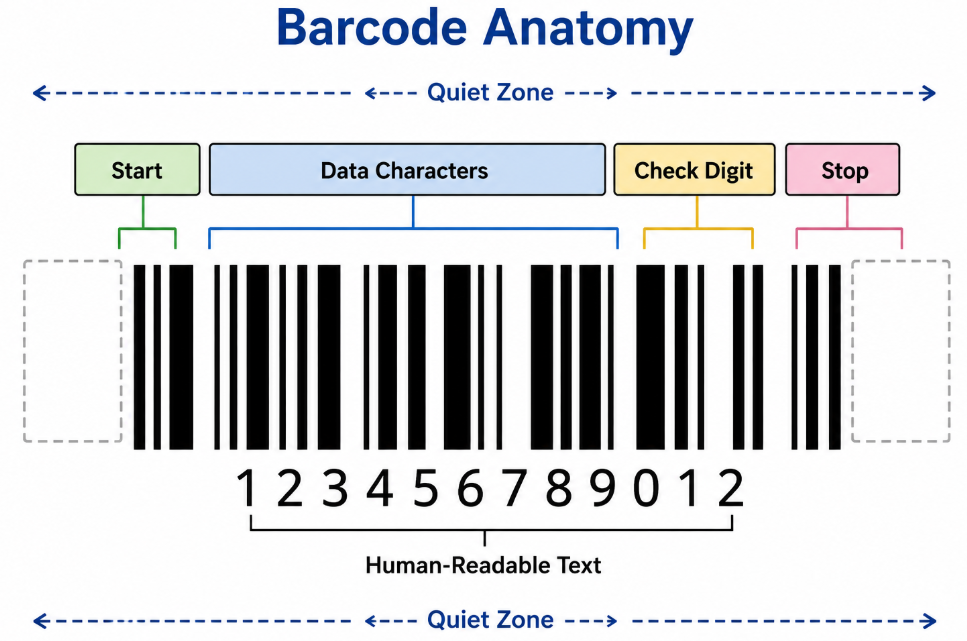
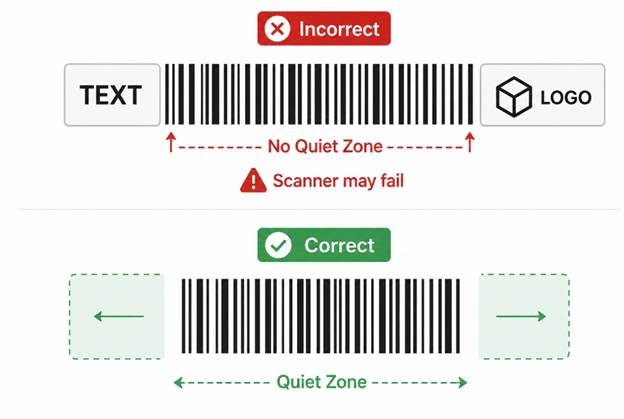
A Quiet Zone is the blank, empty space immediately before the first bar and after the last bar of a barcode.
No text, graphics, borders, logos, or other printed elements should appear inside this area.
Think of it as a "breathing space" that tells the scanner:
"The barcode starts here."
Without this empty space, the scanner cannot accurately determine where the barcode begins and ends.
Illustration
Why Do Barcode Scanners Need a Quiet Zone?
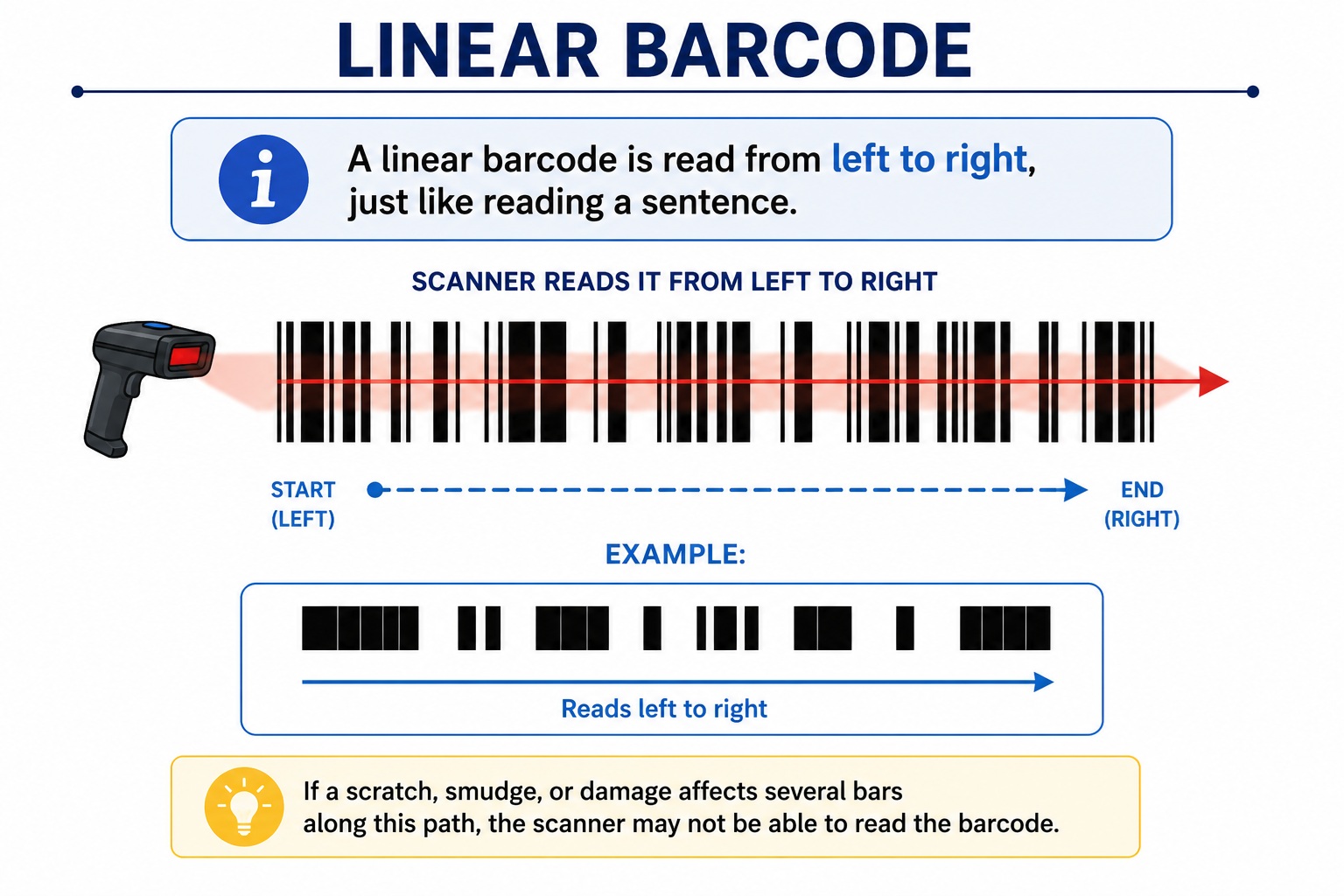
Barcode scanners don't instantly recognize bars.
Instead, they first look for a clean area before reading the barcode.
The scanner performs three basic steps:
- Detect blank space
- Identify barcode start
- Decode the data
If step one fails, the scanner may never even attempt to decode the barcode.
This is why many "good-looking" barcodes still won't scan.
An Easy Analogy
Imagine reading a sentence with no spaces.
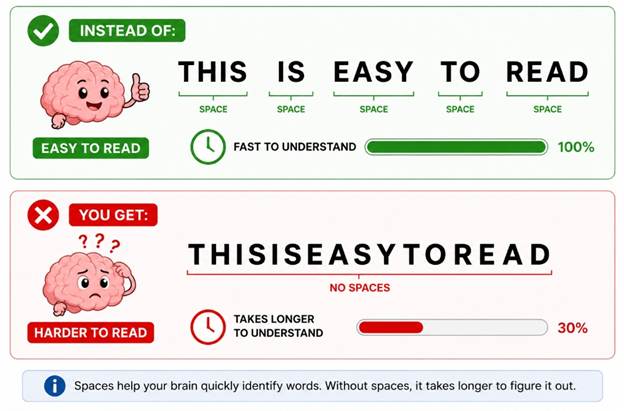
Barcode scanners work the same way.
The quiet zone acts like the spaces between words.
How Large Should the Quiet Zone Be?
The required size depends on the barcode symbology.
As a general guideline:
|
Barcode Type |
Minimum Quiet Zone |
|
Code 128 |
10 × the narrowest bar (10X) |
|
Code 39 |
10 × narrow bar (10X) |
|
EAN-13 |
About 11 modules (left), 7 modules (right) |
|
UPC-A |
About 9 modules (left), 9 modules (right) |
|
ITF-14 |
10X minimum |
|
GS1-128 |
10X minimum |
|
QR Code |
At least 4 modules |
|
Data Matrix |
At least 1 module |
Important: Always follow the official specification for your barcode type if your application has compliance requirements.
What Happens Without a Quiet Zone?
A missing quiet zone can cause:
- Scanner cannot detect barcode
- Slow scanning
- Multiple scan attempts
- Wrong barcode being read
- Failed inventory operations
- Checkout delays
- Shipping label rejection
In warehouses, a missing quiet zone can reduce productivity significantly.
Common Quiet Zone Mistakes
1. Text Too Close
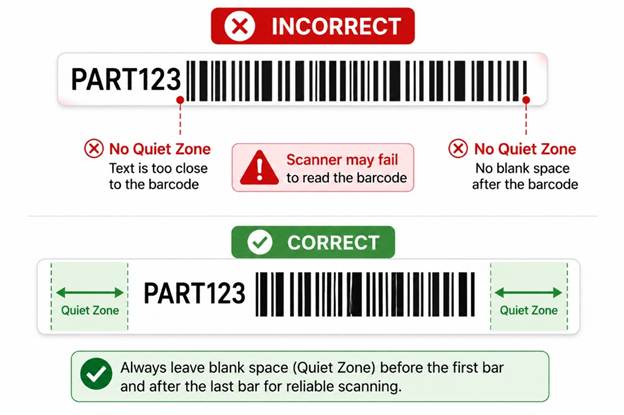
The text interferes with scanner detection.
2. Box Around Barcode
Many designers add borders around barcodes.
Example:
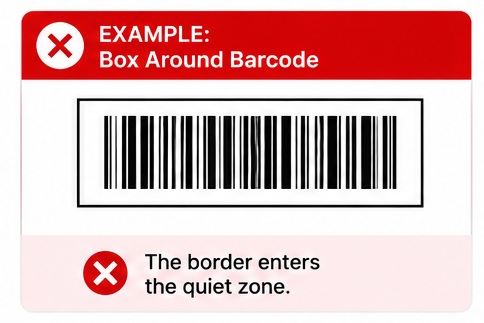
The border enters the quiet zone.
3. Logo Too Close
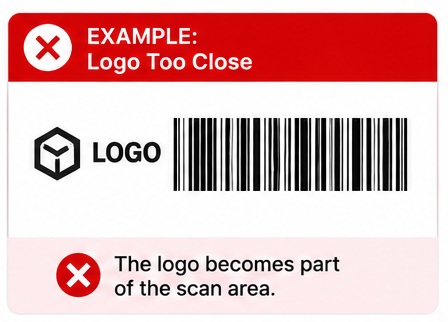
The logo becomes part of the scan area.
4. Colored Background
Busy patterns reduce contrast and effectively eliminate the quiet zone.
Always use a clean, plain background.
5. Label Too Small
When shrinking labels, designers often reduce the margins first.
This removes the quiet zone completely.
Quiet Zone vs Barcode Size
Increasing barcode width does not replace the quiet zone.
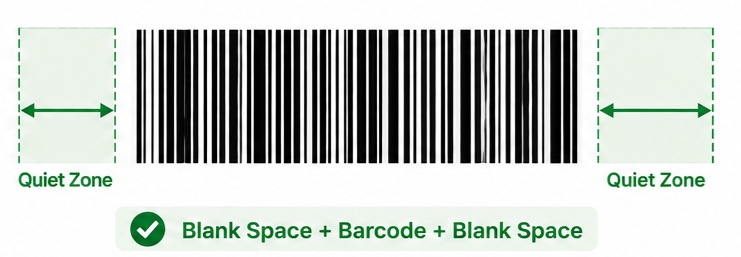
Example:
Large barcode:
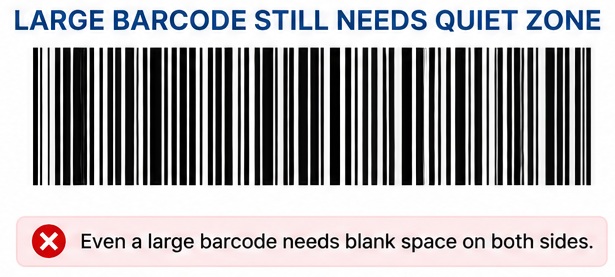
Still requires:
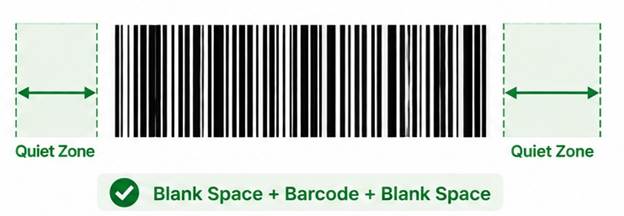
Blank Space + Barcode + Blank Space
The barcode and quiet zone are separate requirements.
Quiet Zone for QR Codes
Many people forget that 2D barcodes also require quiet zones.
QR Codes require:
- Minimum of 4 empty modules
- No graphics touching the code
- No decorative borders inside the margin
Example:
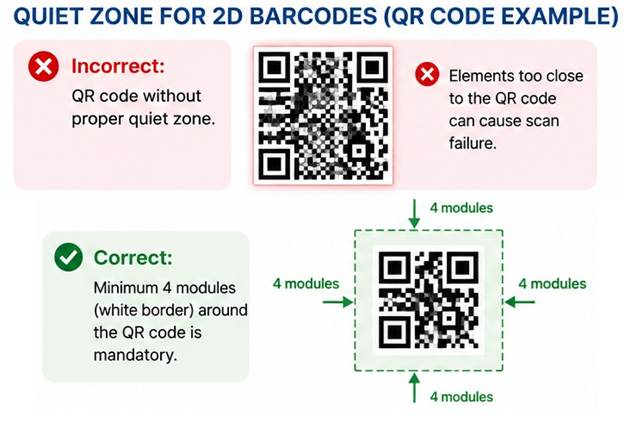
The white border is mandatory.
Quiet Zone for Data Matrix
Data Matrix codes need:
- Minimum one-module white border
- Better performance with larger margins
- No surrounding graphics
Although smaller than QR Codes, the quiet zone is still essential.
Can the Quiet Zone Be Larger?
Yes.
Larger quiet zones are usually beneficial.
There is generally no maximum size.
Extra white space often improves scanner performance.
Does Barcode Verification Check Quiet Zones?
Yes.
Professional barcode verifiers evaluate:
- Quiet zone compliance
- Symbol contrast
- Edge determination
- Modulation
- Defects
- Decode quality
A barcode can have excellent print quality but still fail verification if the quiet zone is insufficient.
How to Ensure Proper Quiet Zones
Follow these best practices:
- Leave blank margins around every barcode.
- Never place text inside the quiet zone.
- Keep logos away from barcode edges.
- Avoid decorative borders.
- Use barcode generation software that respects quiet zone requirements.
- Verify barcodes before mass printing.
- Test with multiple barcode scanners.
Quiet Zone Checklist
Before printing, ask yourself:
✅ Is there empty space before the first bar?
✅ Is there empty space after the last bar?
✅ Are there no graphics inside the margin?
✅ Are there no borders touching the barcode?
✅ Is the barcode printed with sufficient contrast?
If the answer to all five questions is "Yes," your barcode is much more likely to scan successfully.
Frequently Asked Questions (FAQ)
Can I remove the quiet zone to make the label smaller?
No. Removing the quiet zone is one of the most common causes of barcode scanning failures.
Does every barcode need a quiet zone?
Yes. Both linear (1D) and two-dimensional (2D) barcodes require quiet zones, although the size varies by symbology.
Can a barcode scan if the quiet zone is too small?
Sometimes, but performance becomes unreliable. Some scanners may read it under ideal conditions, while others will fail.
Does increasing barcode size eliminate the need for a quiet zone?
No. Barcode size and quiet zone are separate requirements. A larger barcode still needs the correct blank margins.
Can I place a border around a barcode?
Not if the border intrudes into the quiet zone. Decorative frames should remain well outside the required margin.
Final Thoughts
The quiet zone may look like "unused" space, but it is a critical part of every barcode. Without it, even a perfectly printed symbol can become unreadable.
Whether you're designing product labels, shipping labels, warehouse tags, or asset labels, always preserve the required quiet zone around the barcode. This simple practice improves scanning reliability, reduces errors, and helps ensure compliance with barcode standards.