How to Calculate Labels Per Ribbon for Your Labelling Task
How to Calculate How Many Labels You Can Print with a Thermal Transfer Ribbon (Complete Guide)
When buying a thermal transfer ribbon, one of the most common questions is:
"How many labels can I print with one ribbon?"
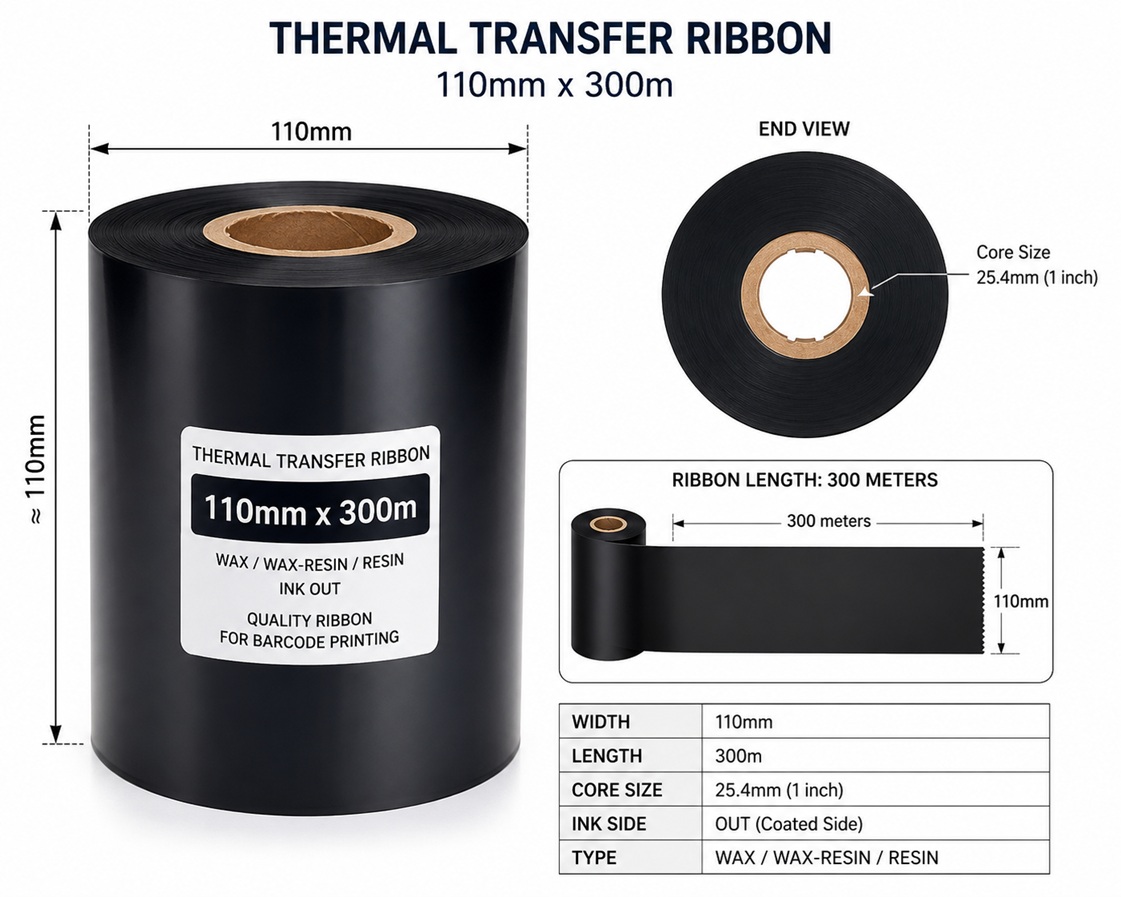
The answer is not as simple as looking at the ribbon length. A 300-meter ribbon does not always print the same number of labels because the label height, printer ribbon-saving features, gaps between labels, and printer settings all affect the total output.
In this guide, you'll learn how to accurately calculate the number of labels a ribbon can print, understand the factors that influence ribbon consumption, and estimate your printing costs more effectively.
Understanding Thermal Transfer Ribbon Length
Thermal transfer ribbons are available in different lengths, including:
|
Ribbon Length |
Common Use |
|
74 meters |
Desktop printers |
|
300 meters |
Industrial printers |
|
450 meters |
High-volume industrial printers |
|
600+ meters |
Specialized industrial applications |
The ribbon length simply tells you how much coated ribbon is wound onto the roll.
It does not directly tell you how many labels it will print.
The Basic Calculation Formula
The simplest formula is:
Number of Labels = Ribbon Length ÷ Label Pitch
Where:
- Ribbon Length = total ribbon length
- Label Pitch = Label Height + Gap
Always convert everything into the same unit.
Formula in Millimeters
Labels = Ribbon Length (mm) ÷ (Label Height + Gap)
Formula in Inches
Labels = Ribbon Length (inches) ÷ (Label Height + Gap)
Step 1 – Convert Ribbon Length
Most ribbons are measured in meters.
Convert them into millimeters.
1 meter = 1000 mm
Example:
300 meter ribbon
300 × 1000 = 300,000 mm
450 meter ribbon
450 × 1000 = 450,000 mm
74 meter ribbon
74 × 1000 = 74,000 mm
Step 2 – Determine Label Pitch
Many people mistakenly use only the label height.
This is incorrect.
You must include the gap between labels.
Example:
Label size : 100 × 150 mm
Gap : 3 mm
Actual ribbon consumed per label:
150mm + 3mm
= 153 mm
Example 1
Ribbon : 300 m
Label : 100 × 150 mm
Gap : 3 mm
Calculation :
Ribbon Length 300,000 mm
Label Pitch 153 mm
300000 ÷ 153 = 1960 labels
Approximately : 1,960 labels
Example 2
Ribbon : 450 m
Label : 100 × 150 mm
Gap : 3 mm
450000 ÷ 153 = 2941 labels
Approximately : 2,940 labels
Example 3
Ribbon : 300 m
Label : 50 × 30 mm
Gap : 2 mm
Pitch : 30 + 2 = 32 mm
Calculation : 300000 ÷ 32 = 9375 labels
Approximately : 9,375 labels
Example 4
Ribbon : 450 m
Label : 38 × 25 mm
Gap : 2 mm
Pitch : 25 + 2 = 27 mm
450000 ÷ 27 = 16666 labels
Approximately : 16,666 labels
Quick Reference Table
|
Ribbon Length |
Label Size |
Gap |
Approx. Labels |
|
74 m |
100 × 150 |
3 mm |
483 Labels |
|
74 m |
50 × 30 |
2 mm |
2,312 Labels |
|
74 m |
38 × 25 |
2 mm |
2,740 Labels |
|
300 m |
100 × 150 |
3 mm |
1,960 Labels |
|
300 m |
50 × 30 |
2 mm |
9,375 Labels |
|
300 m |
38 × 25 |
2 mm |
11,111 Labels |
|
450 m |
100 × 150 |
3 mm |
2,941 Labels |
|
450 m |
50 × 30 |
2 mm |
14,062 Labels |
|
450 m |
38 × 25 |
2 mm |
16,666 Labels |
Why Your Actual Results May Differ
Although the calculations above are mathematically correct, your actual ribbon usage may vary due to several factors.
1. Ribbon Save Feature
Many modern printers such as:
- Zebra
- Honeywell
- TSC
- Citizen
- SATO
- Toshiba
support Ribbon Save or Ribbon Economy.
When large blank spaces exist between printed areas, the printer lifts the printhead and stops consuming ribbon during those sections.
This can dramatically increase ribbon life.
In some applications, ribbon savings may reach 20–60%.
2. Full Black Printing
Printing solid black labels consumes ribbon normally, but it increases:
- Printhead temperature
- Ribbon stress
- Printhead wear
Although ribbon length consumption remains one label pitch per label, heavy coverage may reduce print quality if incorrect ribbon material is used.
3. Empty Labels
If your design contains only:
- small barcode
- few characters
- logo
Ribbon Save can significantly extend ribbon life.
4. Continuous Printing
Continuous media has : No gap
Calculation becomes : Ribbon Length ÷ Label Length
5. Calibration Loss
Every printer wastes a small amount of ribbon during:
- calibration
- loading
- test printing
- media adjustment
Therefore, actual output is usually slightly lower than the theoretical calculation.
Does Ribbon Width Affect the Number of Labels?
No.
Whether the ribbon width is:
- 40 mm
- 42mm
- 60 mm
- 64mm
- 83 mm
- 110 mm
the length consumed remains the same.
Only ribbon length determines how many labels can be printed.
However, wider ribbons cost more because they contain more coating material.
Matching Ribbon to Label Size
For the best value:
Choose the ribbon slightly wider than the label.
Example:
|
Label Width |
Recommended Ribbon |
|
38 mm |
40 mm Ribbon |
|
50 mm |
60 mm Ribbon |
|
58 mm |
60 mm Ribbon |
|
75 mm |
83 mm Ribbon |
|
100 mm |
110 mm Ribbon |
Using a much wider ribbon than necessary increases material waste and operating cost.
Industrial vs Desktop Ribbons
|
Printer Type |
Ribbon Length |
|
Desktop |
74 m |
|
Desktop / Industrial |
300 m |
|
Industrial |
450 m |
Industrial ribbons reduce downtime because operators replace ribbons less frequently.
Estimating Printing Cost per Label
Suppose :
Ribbon cost : KD 6.000
Ribbon length : 300 m
Labels printed : 9,375 Labels
Cost per printed label : 6 ÷ 9375 = KD 0.00064
Less than one fils per label.
This helps businesses accurately calculate production costs.
Common Mistakes
Many users make these errors:
- Ignoring the label gap.
- Forgetting ribbon wasted during calibration.
- Assuming ribbon width affects the number of labels.
- Buying an unnecessarily wide ribbon.
- Expecting exactly the calculated quantity every time.
- Not considering Ribbon Save features in compatible printers.
Avoiding these mistakes can improve cost estimation and reduce unexpected downtime.
Frequently Asked Questions (FAQ)
Can a 300-meter ribbon always print 300,000 mm of labels?
Approximately yes, but a small amount is lost during loading, calibration, and ribbon leader/trailer sections.
Does printing more black consume ribbon faster?
Ribbon advances one label pitch per printed label regardless of image coverage. However, heavy coverage can affect printhead wear and heat, making ribbon selection more important.
Does ribbon width change the number of labels?
No. Ribbon width affects the amount of material on the roll and its price, not the number of labels printed.
Why do two users get different label counts from the same ribbon?
Differences may be caused by:
- Label height and gap
- Ribbon Save settings
- Printer calibration frequency
- Media handling
- Print job layout
Final Thoughts
Calculating how many labels a thermal transfer ribbon can print is straightforward once you understand the relationship between ribbon length and label pitch (label height plus gap). By using the simple formula:
Number of Labels = Ribbon Length ÷ (Label Height + Gap)
you can estimate ribbon usage, compare ribbon sizes, and plan inventory more accurately.
Keep in mind that this is a theoretical calculation. Real-world results can vary slightly due to printer calibration, ribbon loading, leader and trailer sections, and features such as Ribbon Save that reduce ribbon consumption when printing labels with large blank areas.
Whether you use 74 m, 300 m, or 450 m ribbons, understanding these calculations helps reduce operating costs, avoid production interruptions, and choose the most economical ribbon for your application. For businesses with high-volume printing needs, combining the correct ribbon size, appropriate label dimensions, and high-quality ribbon materials can significantly improve efficiency while extending printhead life and maintaining consistently sharp, durable prints.