Why Barcodes Fail to Scan: 25 Common Causes and How to Fix Them
Introduction
Explain that a barcode itself is rarely the problem. Most scanning failures are caused by print quality, barcode design, label material, placement, environmental conditions, or scanner configuration.
1. Low Print Quality
Symptoms
- Faded barcode
- Broken bars
- White streaks
Causes
- Dirty printhead
- Low darkness setting
- Worn printhead
- Incorrect ribbon
Solutions
- Clean the printhead.
- Increase darkness gradually.
- Replace worn printheads.
- Match the ribbon to the label material.
2. Barcode Printed Too Small
Very narrow bars become difficult to read.
Include:
- Minimum recommended X-dimension
- When to use 203 DPI vs 300 DPI
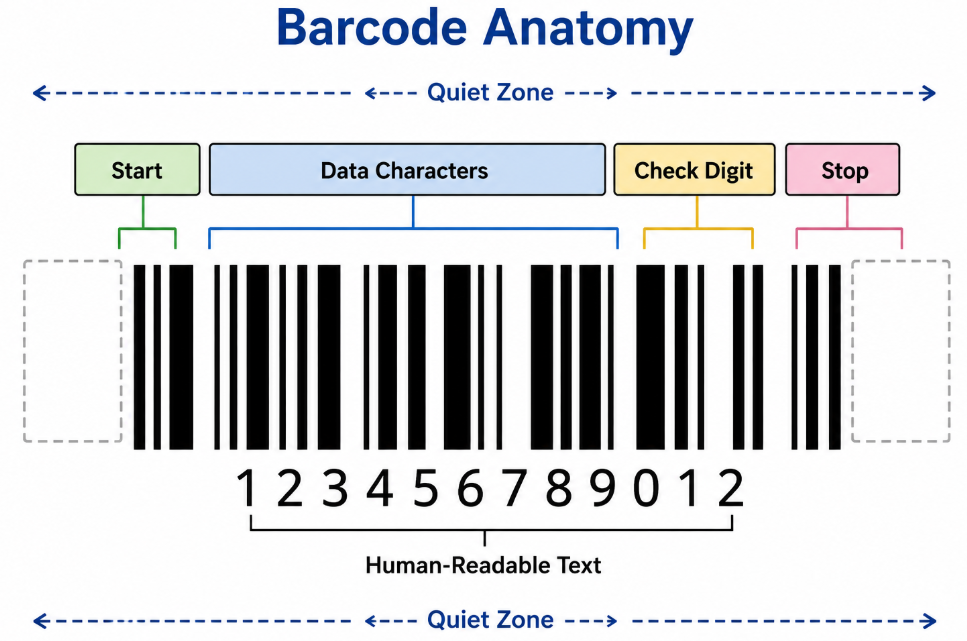
3. Quiet Zone Is Too Small
Explain what a quiet zone is with a simple illustration.
Example:
□□□□ BARCODE □□□□
No text or graphics should intrude into these blank margins.
4. Wrong Barcode Symbology
Examples:
- Code 39
- Code 128
- EAN-13
- UPC-A
- QR Code
- Data Matrix
Explain when each should be used.
5. Incorrect Label Material
Examples:
- Glossy paper
- Matte paper
- Polypropylene (PP)
- Polyester (PET)
- Vinyl
Some glossy materials create reflections that reduce scan reliability.
6. Wrong Ribbon Type
Compare:
- Wax
- Wax-Resin
- Resin
Include a table showing which ribbon suits which material.
7. Poor Contrast
Explain why black on white remains the most reliable combination.
Mention colors that scanners often struggle with.
8. Printing at the Wrong Scale
Examples:
- "Fit to Page"
- "Shrink to Fit"
Explain why users should always print at 100% / Actual Size.
9. Printer Not Calibrated
Symptoms:
- Barcodes shift position
- Missing sections
- Misaligned labels
Explain how calibration solves these issues.
10. Damaged Labels
Examples:
- Torn
- Wrinkled
- Dirty
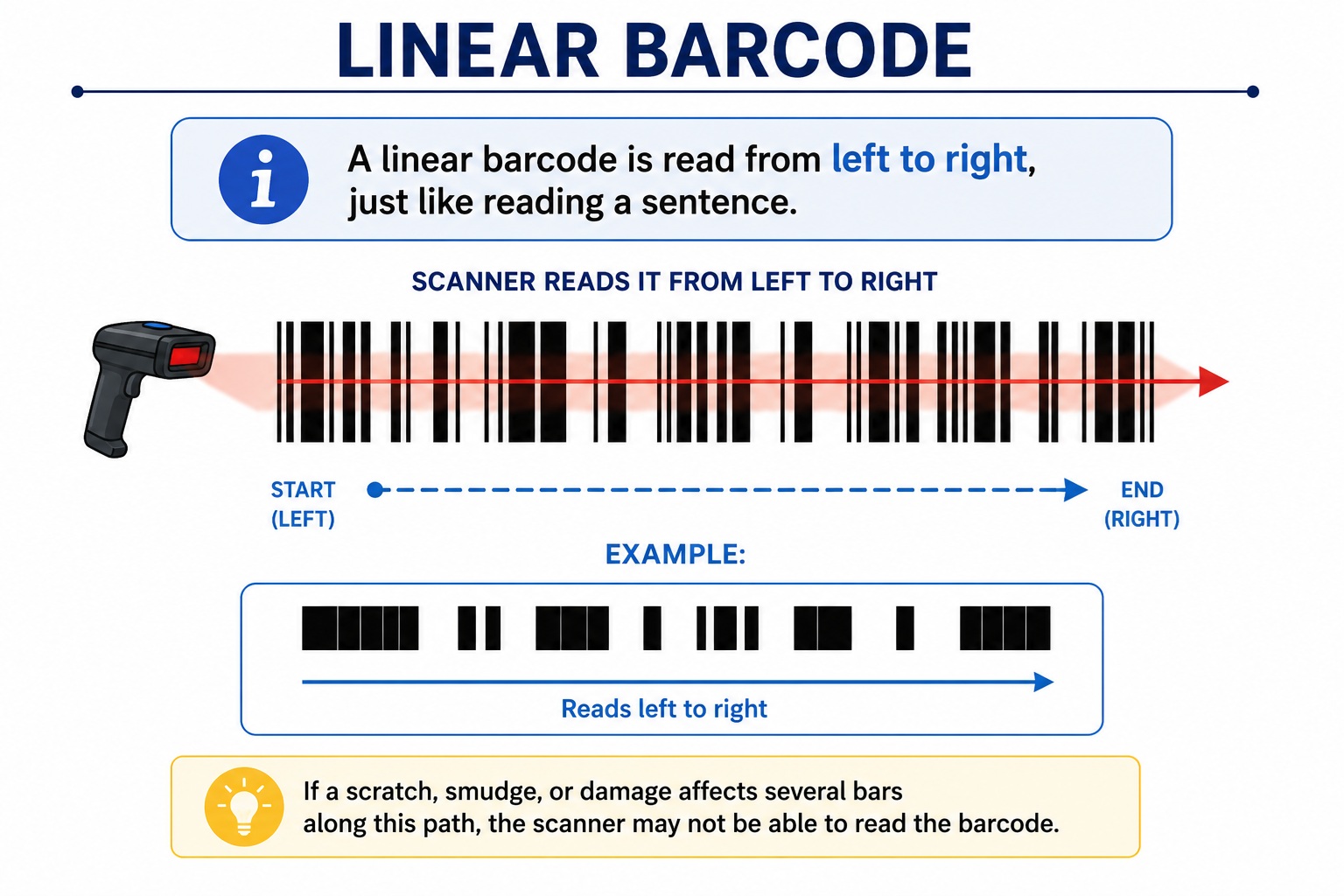
- Scratched
- Folded
11. Barcode on Curved Surfaces
Explain ladder orientation versus picket-fence orientation.
12. Poor Label Placement
Avoid placing labels:
- Over seams
- Around sharp corners
- Across folds
- Near reflective metal edges
13. Wrong Scanner
Compare:
- 1D scanners
- 2D imagers
- Long-range scanners
- Industrial scanners
14. Dirty Scanner Window
A surprisingly common cause.
15. Scanner Configuration
Discuss:
- Disabled symbologies
- Prefix/suffix settings
- USB HID vs COM mode
16. Damaged Printhead
Show signs such as:
- White vertical lines
- Missing dots
- Repeating defects
17. Low Printer Resolution
Compare:
- 203 DPI
- 300 DPI
- 600 DPI
Explain which applications benefit from higher resolution.
18. Poor Barcode Design
Problems include:
- Decorative fonts
- Overlapping graphics
- Compressed bars
- Missing quiet zones
19. Wrong Barcode Size for Viewing Distance
For example:
- Shelf labels
- Shipping cartons
- Warehouse racks
The farther away the scanner, the larger the barcode generally needs to be.
20. Environmental Damage
Examples:
- Heat
- UV exposure
- Chemicals
- Water
- Abrasion
- Freezing conditions
Recommend suitable materials for each environment.
21. Duplicate or Incorrect Data
A perfectly printed barcode is useless if it encodes the wrong information.
22. Poor Label Adhesion
Labels that lift, curl, or wrinkle can become unreadable.
Discuss choosing the right adhesive for plastic, metal, cardboard, glass, and freezer applications.
23. Barcode Verification vs. Barcode Scanning
Explain that a barcode may scan but still fail industry verification standards.
Introduce concepts like ISO grading for businesses that need compliance.
24. Preventive Maintenance Checklist
Include a practical checklist:
- Clean the printhead regularly
- Calibrate after changing media
- Use quality labels and ribbons
- Store supplies correctly
- Test with multiple scanners
- Replace worn rollers and printheads
25. Quick Troubleshooting Table
|
Problem |
Likely Cause |
Recommended Fix |
|
Won't scan |
Low contrast |
Increase darkness |
|
Skips labels |
Sensor issue |
Recalibrate printer |
|
Smudges |
Wrong ribbon |
Use the correct ribbon type |
|
White lines |
Dirty printhead |
Clean or replace printhead |
|
Works on phone but not scanner |
Wrong symbology or scanner configuration |
Verify barcode type and scanner settings |