Common Thermal Ribbon Printing Problems and How to Fix Them
A Complete Troubleshooting Guide for Thermal Transfer Label Printers
Thermal transfer printing is widely used across industries because it produces durable, sharp, and long-lasting labels. Whether you're printing barcode labels, product stickers, shipping labels, cable markers, or asset tags, consistent print quality depends on the correct combination of printer settings, ribbon quality, label material, and routine maintenance.
However, even the best thermal transfer printers can occasionally experience printing problems. Faded prints, ribbon wrinkles, blank labels, or poor barcode quality can reduce productivity, waste consumables, and increase operating costs.
The good news is that most thermal ribbon printing problems can be diagnosed and fixed within a few minutes. This guide explains the most common issues, their causes, and practical solutions to keep your printer operating at peak performance.
Understanding Thermal Transfer Printing
Unlike direct thermal printing, thermal transfer printers use a ribbon coated with wax, wax-resin, or resin ink. During printing, the printhead applies heat to transfer the ink from the ribbon onto the label surface.
This process produces labels that are:
- Resistant to scratching
- Resistant to moisture
- UV resistant (depending on ribbon type)
- Long lasting
- Suitable for industrial environments
Because thermal transfer printing involves both ribbon and labels, problems can originate from either material-or from incorrect printer settings.
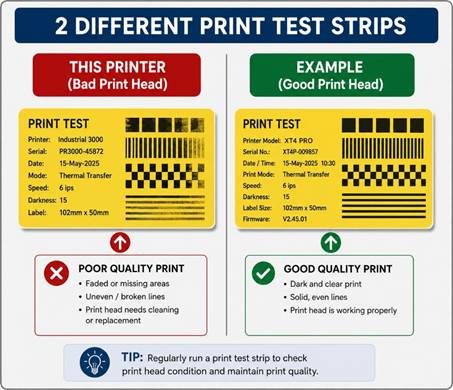
1. Faded or Light Printing
Symptoms
- Light text
- Pale barcodes
- Missing sections of print
- Inconsistent darkness
Possible Causes
- Print darkness is too low.
- Incorrect ribbon for the label material.
- Print speed is too high.
- Dirty printhead.
- Worn-out printhead.
- Low-quality ribbon.
How to Fix It
✔ Increase the print darkness gradually.
✔ Reduce print speed if necessary.
✔ Verify the ribbon matches your label material:
|
Ribbon Type |
Best For |
|
Wax |
Paper labels |
|
Wax-Resin |
Semi-gloss paper & some synthetics |
|
Resin |
Polyester, PET, polypropylene, outdoor labels |
✔ Clean the printhead using isopropyl alcohol (IPA) or approved printhead cleaning pens.
✔ Replace worn printheads if print quality does not improve.
2. Ribbon Wrinkling
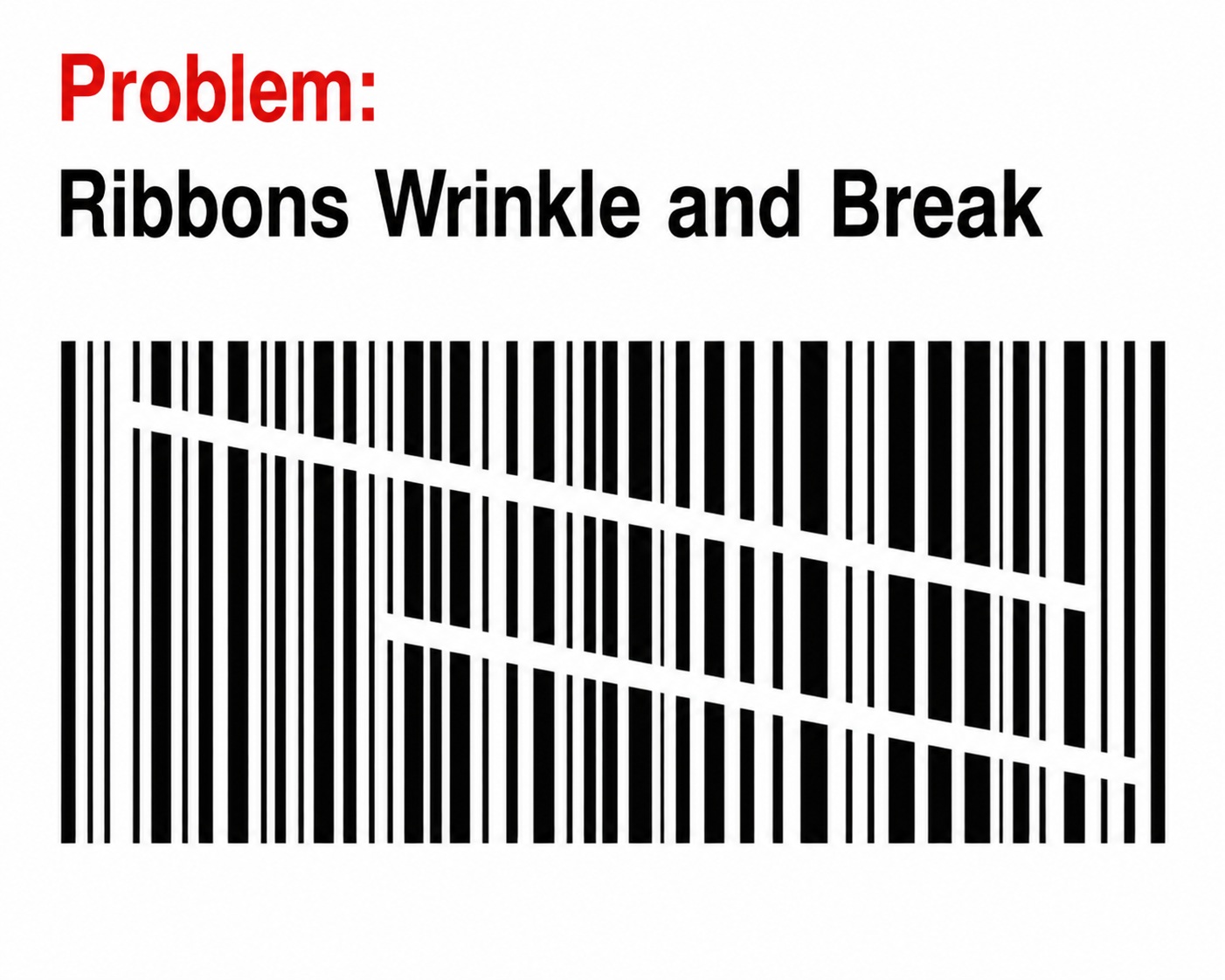
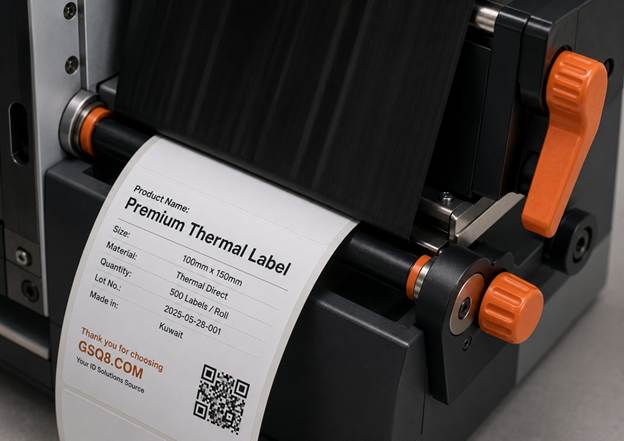
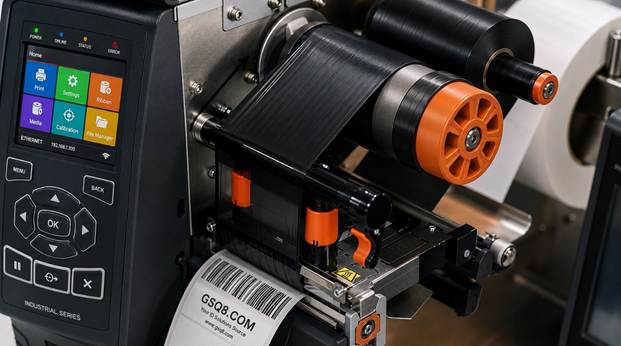
Ribbon wrinkles create white streaks across labels and can permanently damage expensive printheads if ignored.
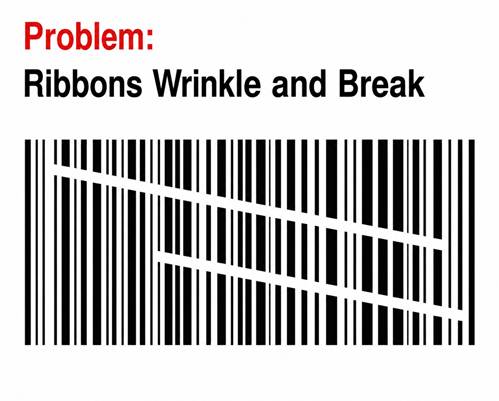
Common Causes
- Ribbon loaded incorrectly
- Uneven printhead pressure
- Ribbon wider than necessary
- Dirty platen roller
- Poor-quality ribbon with inconsistent coating
Solutions
- Reload the ribbon carefully.
- Ensure the ribbon runs flat across the printhead.
- Adjust left/right printhead pressure (available on many industrial printers).
- Replace worn platen rollers.
- Use premium ribbons with consistent coating thickness.
Tip: Choose a ribbon width that is only slightly wider than the label to reduce wrinkles and minimize printhead wear.
3. Blank Labels (Nothing Prints)
Few issues are more frustrating than label feeding correctly but remaining completely blank.
Possible Causes
- Printer is set to Direct Thermal mode.
- Ribbon installed upside down.
- Ribbon sensor does not detect the ribbon.
- Faulty printhead.
- Incorrect ribbon path.
How to Fix It
✔ Confirm the printer is operating in Thermal Transfer Mode.
✔ Verify the ink-coated side of the ribbon faces the label.
Quick Test: Scratch the ribbon with your fingernail. The side that leaves a black mark is the coated side.
✔ Recalibrate ribbon sensors.
✔ Check printhead connections.
4. Ribbon Breaking During Printing
Ribbon snapping interrupts production and increases waste.
Common Causes
- Excessive print darkness
- Excessive printhead pressure
- Poor ribbon quality
- Incorrect ribbon tension
- High printing speed
Solutions
- Lower darkness settings.
- Reduce print speed.
- Adjust ribbon tension if your printer allows it.
- Switch to a premium ribbon designed for high-speed printing.
- Check that the ribbon roll rotates freely.
5. Smudged or Blurry Printing
Instead of crisp text, printed images appear blurry or smeared.
Causes
- Excessive heat
- Wrong ribbon formulation
- Dirty labels
- Dust contamination
- Print speed too slow with high heat
Fixes
- Reduce print darkness.
- Match ribbon chemistry with the label material.
- Store labels in a clean, dry environment.
- Clean the printhead regularly.
6. White Lines Running Through Labels
One of the most common signs of printhead damage.
Causes
- Burned printhead elements
- Dirt stuck on the printhead
- Label adhesive buildup
Solutions
- Clean the printhead thoroughly.
- Inspect for damaged pixels.
- Replace the printhead if lines remain in the exact same location after cleaning.
Important: Never use sharp tools to clean a printhead.
7. Poor Barcode Quality
Unreadable barcodes create costly scanning failures.
Possible Causes
- Low print contrast
- Wrong ribbon
- Incorrect printer resolution
- Improper barcode size
- Dirty printhead
Best Practices
- Increase print darkness slightly.
- Use printer-native barcode fonts.
- Print at 300 dpi or 600 dpi for very small barcodes.
- Verify barcode quality using a barcode verifier.
8. Labels Feeding Incorrectly
Problems include:
- Multiple blank labels
- Skipping labels
- Printing between labels
- Wasting labels
Causes
- Sensor calibration required
- Wrong media type selected
- Dirty media sensor
Solutions
- Run automatic media calibration.
- Clean the label sensor.
- Confirm gap, notch, or black mark sensing matches your media.
9. Ribbon Not Advancing
Sometimes the printer feeds labels but the ribbon stays still.
Causes
- Ribbon take-up spindle slipping
- Broken ribbon sensor
- Ribbon loaded incorrectly
Fixes
- Reload the ribbon.
- Tighten ribbon onto the take-up core.
- Inspect the take-up spindle.
- Replace damaged ribbon cores.
10. Printhead Overheating
Continuous high-volume printing can overheat the printhead.
Symptoms
- Print gradually becomes lighter.
- Printer pauses unexpectedly.
- Inconsistent image quality.
Solutions
- Reduce print speed.
- Lower darkness settings.
- Allow cooling periods during heavy production.
- Ensure adequate ventilation around the printer.
Choosing the Right Ribbon Matters
Selecting the correct ribbon is just as important as choosing the right printer.
|
Ribbon Type |
Durability |
Best Applications |
|
Wax |
★★☆☆☆ |
Shipping labels, retail labels |
|
Wax-Resin |
★★★★☆ |
Product labels, warehouse labels |
|
Resin |
★★★★★ |
Chemical labels, outdoor labels, laboratory labels, asset tags |
Using the wrong ribbon can result in:
- Poor print quality
- Ribbon breakage
- Printhead wear
- Barcode failures
- Increased operating costs
Premium ribbons from trusted manufacturers often deliver better ink transfer, cleaner images, and longer printhead life compared to low-cost alternatives.
Preventive Maintenance Tips
Regular maintenance significantly extends printer life and reduces downtime.
Daily
- Remove dust and label debris.
- Check ribbon alignment.
Every Ribbon Change
- Clean the printhead with IPA.
- Inspect the platen roller.
Weekly
- Clean media sensors.
- Inspect ribbon path.
Monthly
- Check printhead pressure.
- Inspect rollers for wear.
- Verify printer calibration.
A few minutes of maintenance can prevent hours of production downtime.
Frequently Asked Questions (FAQs)
Why is my thermal transfer printer producing faded labels?
Common causes include low print darkness, incorrect ribbon selection, dirty printhead, or excessive print speed. Cleaning the printhead and adjusting printer settings usually resolves the issue.
Why does my ribbon wrinkle while printing?
Ribbon wrinkles are typically caused by improper loading, uneven printhead pressure, worn platen rollers, or low-quality ribbons. Reloading the ribbon and using a premium ribbon often solves the problem.
Why are my labels printing blank?
Your printer may be set to Direct Thermal mode instead of Thermal Transfer mode, the ribbon may be installed incorrectly, or the ribbon sensor may require calibration.
How often should I clean my printhead?
For best performance, clean the printhead every time you replace the ribbon or label roll. This helps maintain consistent print quality and extends printhead life.
Can low-quality ribbons damage my printer?
Yes. Poor-quality ribbons may contain inconsistent coatings or rough backing films that increase printhead wear, cause ribbon wrinkles, and reduce overall print quality. Investing in high-quality ribbons can lower maintenance costs and extend Printhead life.
Which ribbon should I choose?
- Wax Ribbon: General-purpose paper labels.
- Wax-Resin Ribbon: Better durability for coated paper and synthetic labels.
- Resin Ribbon: Maximum resistance to chemicals, abrasion, heat, and outdoor conditions.
Final Thoughts
Most thermal ribbon printing problems are caused by a combination of incorrect settings, incompatible media, poor-quality consumables, or inadequate maintenance. By understanding the root causes of common issues such as faded prints, ribbon wrinkling, blank labels, barcode failures, and ribbon breakage, you can quickly restore print quality and minimize downtime.
We recommend using premium thermal transfer ribbons and quality label materials that are matched to your printer and application. High-grade consumables not only produce sharper, more durable labels but also help extend printhead life, reduce maintenance, and lower the total cost of ownership.
Whether you're printing shipping labels, industrial tags, cable markers, or product identification labels, a properly maintained thermal transfer printer combined with the right ribbon will ensure reliable, professional results every time.