+965 9914 1024 Sat-Thu: 9:30AM-1PM & 5PM-8PM | Fri: Closed

Frequently Asked Questions

Find answers to common questions about our products, services, and support

Questions (37)
What is Code 128 and why is it used?
Information
Why is it called Code 128?
Information
Types of Code 128
Information
Common Uses of Code 128
Information
When to Use Code 128
Information
Code 128 vs QR Code (quick idea)
Information
Why Code 128 is popular
Information
Do I need a UPC number to sell products?
Information
What is a "Quiet Zone" and why is it important?
Information
Can I print barcodes in color?
Information
What’s the difference between Direct Thermal and Thermal Transfer printing?
Information
Match the Material to the Environment
Information
The Ultimate Barcode Printing Checklist
Information
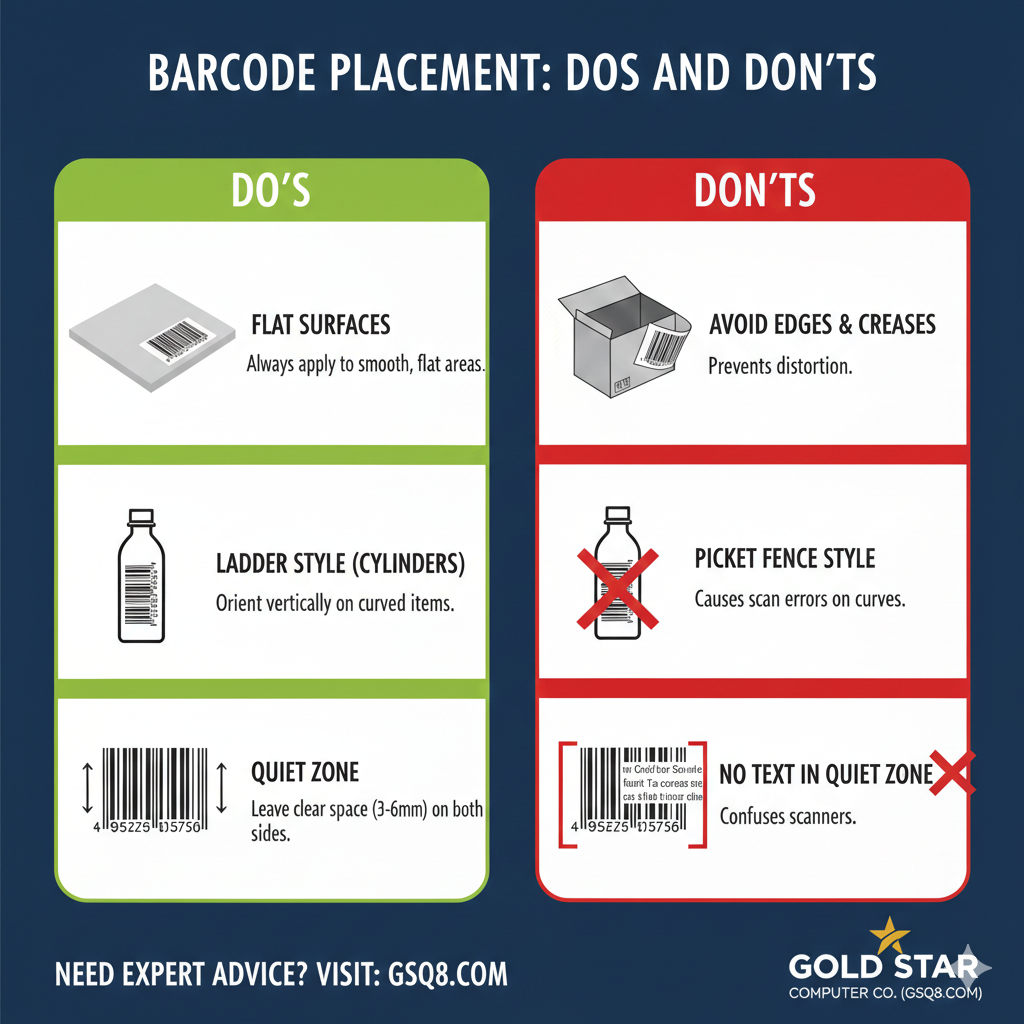
Do's and Don'ts for barcode placing
Information
Why are my labels printing at the wrong size or blurry?
Information
How do I ensure my barcodes print with the correct dimensions?
Information
Which label material should I use for outdoor products?
Information
How do I choose the right adhesive?
Information
My barcodes aren't scanning. Is it the label material?
Information
Can I print on plastic or glass containers?
Information
I need to label items in a freezer. Do I need special labels?
Information
What is the best label for tagging office laptops and printers?
Information
What can I encode in a Code 128 barcode?
Information
Why should I choose Code 128 for my labels?
Information
How often should I clean my label printer?
Information
Desktop vs. Industrial: At a Glance
Information
Which printer fits your business?
Information
Can I use a Desktop printer to print 2,000 labels occasionally?
Information
Where You Save Money with Industrial Printers
Information
Where You Save Money with Industrial Printers
Information
Are Brother TZe tapes waterproof?
Information
Can I use these labels in the freezer or on hot machinery?
Information
Will the TZe labels leave a sticky residue when removed?
Information
Can I use these labels outdoors??
Information
Which tape should I use for cables or curved surfaces?
Information
TZe Label Quick Compatibility Check
Information
What are Direct Thermal Rolls?
Information
Answer
Information
What is Code 128 and why is it used?

Code 128 is a high-density, linear (1D) barcode standard recognized for its exceptional accuracy and versatility. Unlike simpler barcode types, Code 128 is highly flexible and can encode a wide range of data, including:

  • Numeric data (0–9)

  • Alphanumeric data (both upper and lower-case letters)

  • Special characters ($ % @ # ! etc.)

  • Control characters

Its ability to pack a large amount of information into a compact space makes it the industry standard for logistics, shipping, and inventory management.
Information
Why is it called Code 128?
It uses 128 different symbols (values 0–127), allowing it to represent a wide range of characters efficiently.
Information
Types of Code 128
Code 128 has three character sets: Code 128 A – Uppercase letters, numbers, and control characters Code 128 B – Uppercase and lowercase letters, numbers, and symbols Code 128 C – Numeric-only; encodes two digits per symbol, making it very compact for long numbers
Information
Common Uses of Code 128
Product identification (SKU) Inventory and warehouse management Shipping and logistics labels Serial numbers and asset tracking Invoices and internal tracking systems
Information
When to Use Code 128
Use Code 128 when you need: A barcode that includes both numbers and letters Compact size with high data capacity Fast and accurate scanning
Information
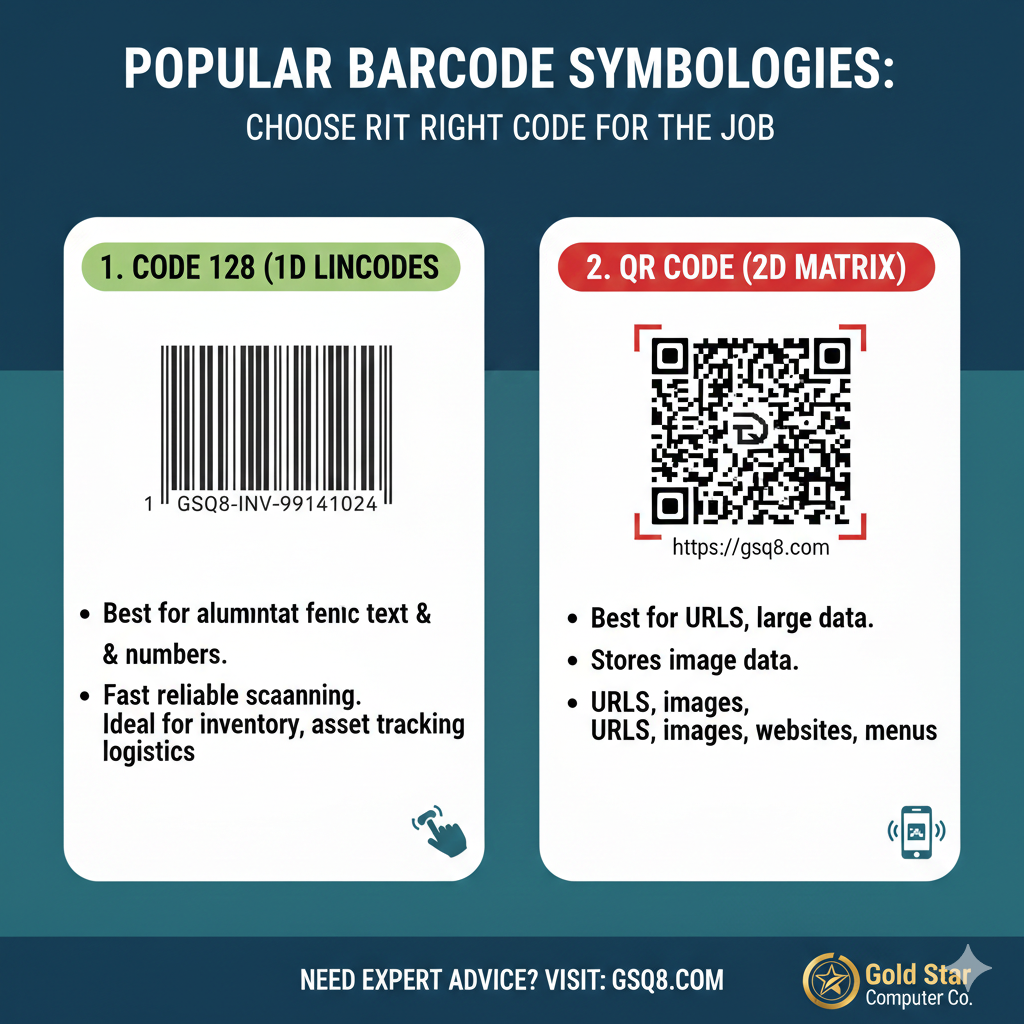
Code 128 vs QR Code (quick idea)
Code 128 → Best for short text & numbers, fast scanning (1D) QR Code → Best for URLs, large data, marketing (2D)
Code 128 vs QR Code (quick idea)
Information
Why Code 128 is popular
✔ High data capacity ✔ Smaller barcode size (saves label space) ✔ Very accurate scanning ✔ Supported by almost all barcode scanners ✔ Works well for printing and digital display
Information
Do I need a UPC number to sell products?
If you plan to sell through major retailers or online marketplaces (like Amazon), you typically need a unique GTIN (Global Trade Item Number), which is what a UPC barcode represents. These should be sourced from GS1 to ensure they are globally unique and registered to your brand.
Information
What is a "Quiet Zone" and why is it important?

The Quiet Zone is the mandatory blank margin on both the left and right sides of a barcode.

It acts as a vital "buffer" that tells the scanner exactly where the data starts and ends. For a reliable scan, this area must be kept completely clear; if the zone is too small or has text and graphics bleeding into it, the scanner will be unable to distinguish the barcode from its surroundings, resulting in a "no-read."

** As a general rule, the quiet zone should be at least 10 times the width of the narrowest bar or a minimum of 3mm to 6mm to ensure compatibility with all scanners.
Information
Can I print barcodes in color?
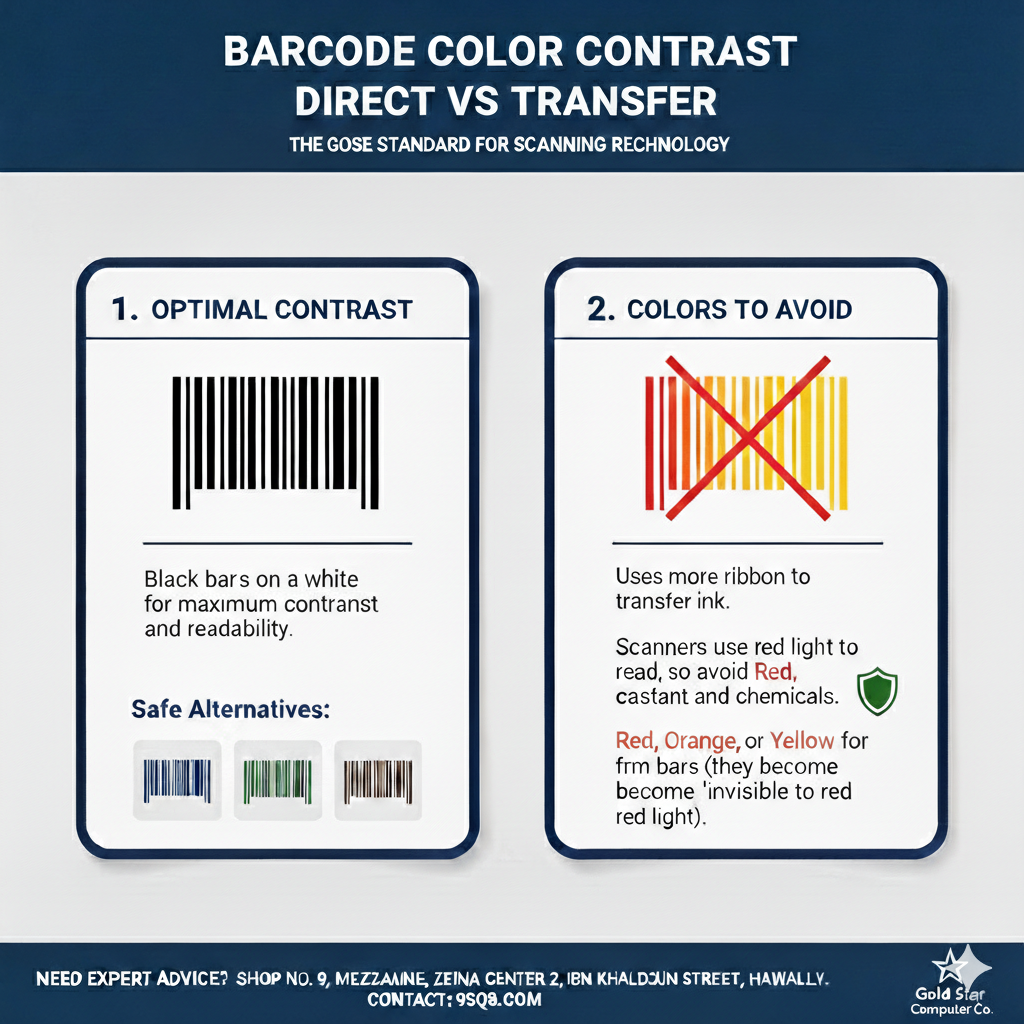
The gold standard is black bars on a white background for maximum contrast. Scanners use red light to read, so: Avoid: Red, orange, or yellow for the bars (they become "invisible" to the red light). Safe Alternatives: Dark blue, dark green, or dark brown on a light background.
Can I print barcodes in color?
Information
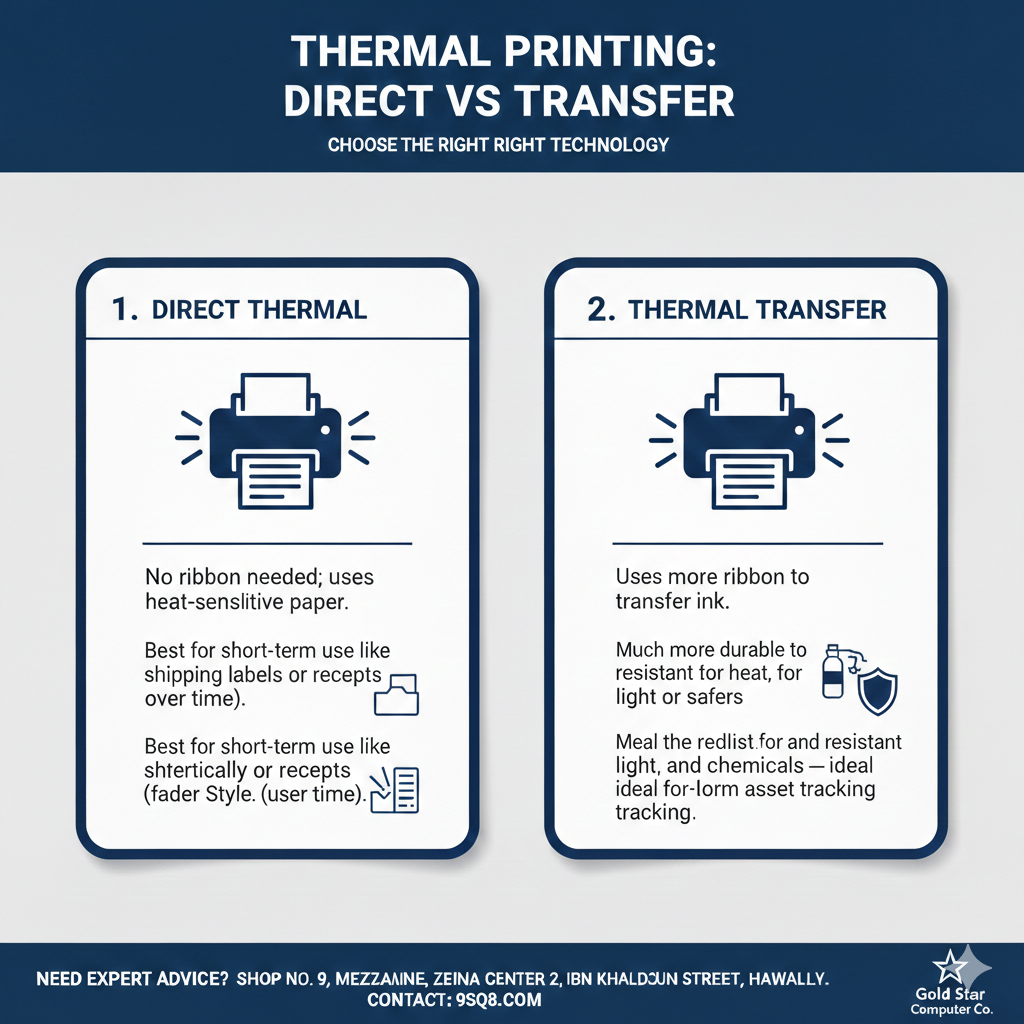
What’s the difference between Direct Thermal and Thermal Transfer printing?

What’s the difference between Direct Thermal and Thermal Transfer printing?
Information
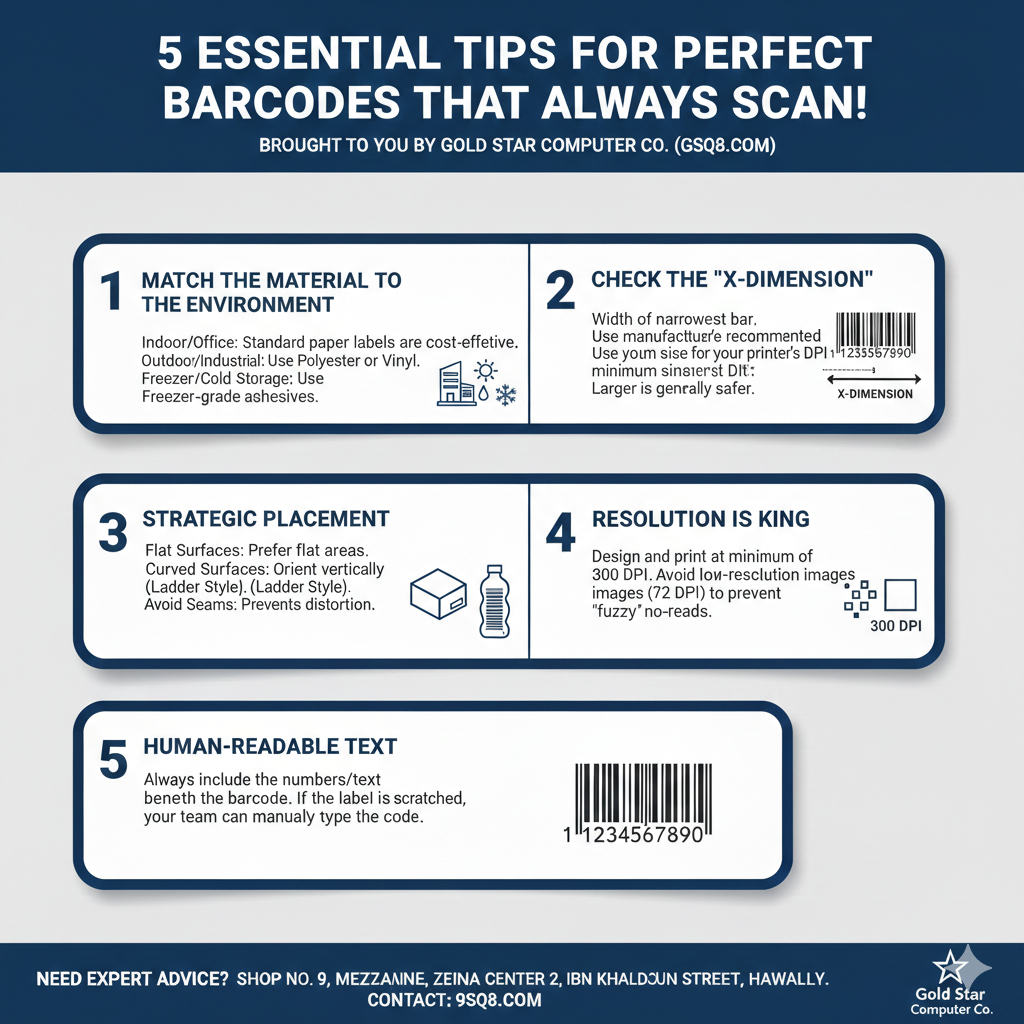
Match the Material to the Environment
Information
The Ultimate Barcode Printing Checklist

The Ultimate Barcode Quality Checklist

Brought to you by Gold Star Computer Co. (gsq8.com)

1. The Visibility Check (Contrast & Colors)

  • [ ] High Contrast: Ensure the barcode is black on a white or very light background.

  • [ ] Color Safety: Avoid using red, orange, or yellow for the bars. (Scanners use red light and cannot "see" these colors).

  • [ ] No "Ghosting": Confirm the print is crisp and dark with no fading, streaks, or white lines.

2. The Geometry Check (Size & Placement)

  • [ ] Quiet Zones: Is there at least 3mm to 6mm of clear white space on both the left and right sides of the barcode?

  • [ ] Flat Surface: Ensure the label is placed on a flat area. Avoid folds, seams, or sharp corners.

  • [ ] Orientation: For curved surfaces (like bottles), print the barcode vertically (Ladder Style) rather than horizontally (Picket Fence).

3. The Material Check (Durability)

  • [ ] Environment Match: For outdoor or chemical use, are you using Thermal Transfer (with a ribbon) and Synthetic/Polyester material?

  • [ ] Adhesive Strength: For cold storage products, ensure the label is "Freezer Grade."

  • [ ] Smudge Test: If you rub the label firmly and it smears, you may need a higher-grade ribbon (Wax-Resin or Resin).

4. The Data Check (Accuracy)

  • [ ] Human-Readable Text: Is the text/number clearly visible beneath the bars?

  • [ ] Correct Format: Are you using the right symbology? (e.g., Code 128 for internal assets or EAN/UPC for retail).

  • [ ] Resolution: Is the printer density set to at least 300 DPI for small or high-density labels?

5. The "Golden Rule" Test

  • [ ] Test Scan: Have you scanned the printed label with a physical scanner (not just a phone app) to ensure it pulls the correct data instantly?
Information
Do's and Don'ts for barcode placing
Information
Why are my labels printing at the wrong size or blurry?
This is usually a scaling issue. In your print settings, ensure Scale is set to 'Actual Size' or 100%. Do not use 'Fit to Page' or 'Shrink to Fit,' as these settings will distort the barcode dimensions.
Information
How do I ensure my barcodes print with the correct dimensions?

To get a perfect print every time, please follow these settings in your print dialog:

  1. Scale: Select Actual Size (or manually enter 100%).

  2. Fit to Page: Ensure this box is Unchecked.

  3. Paper Size: Verify it matches your label roll or sheet size exactly.

Information
Which label material should I use for outdoor products?
For Kuwait’s high heat and sunlight, use Polyester (PET) or Vinyl. They are UV-resistant, waterproof, and won't fade or peel like standard paper.
Information
How do I choose the right adhesive?

Adhesives are generally categorized into three types:

  • Permanent: Best for shipping and inventory where the label must never come off.
  • Removable: Ideal for retail items or glass where you want the customer to peel the label off without leaving sticky residue.
  • High-Tack: Necessary for rough surfaces like wood, tires, or industrial machinery.

Information
My barcodes aren't scanning. Is it the label material?
It could be. Glossy labels can sometimes cause "reflection glare" for certain scanners. If you are experiencing this, try a Matte Finish label. Also, ensure you are printing at "Actual Size" (100%) and not "Fit to Page," as scaling distorts the barcode lines.
Information
Can I print on plastic or glass containers?
Yes, but you should use Polypropylene (BOPP) or Polyester labels. Standard paper labels often bubble or peel when exposed to the moisture or oils often found in food, beverage, or cosmetic containers.
Information
I need to label items in a freezer. Do I need special labels?
Yes. Standard adhesives fail in cold temperatures. You need "Freezer-Grade" labels designed to stick to surfaces as cold as -20°C.
Information
What is the best label for tagging office laptops and printers?
Use Silver Void or Polyester labels. They are durable and can show "VOID" if someone tries to peel them off, providing extra security for your equipment.
Information
What can I encode in a Code 128 barcode?

Code 128 is one of the most flexible barcode formats available today. It supports the entire ASCII character set, allowing you to store:

  • Letters: A–Z and a–z (case-sensitive)

  • Numbers: 0–9

  • Symbols: Full range of special characters

  • Reliability: It features a mandatory check digit to ensure 100% scanning accuracy.

Information
Why should I choose Code 128 for my labels?
Code 128 is a "high-density" barcode, meaning it takes up less horizontal space than other formats like Code 39 while carrying more data. It is the preferred choice for businesses at Gold Star Computer Co. because it works with almost all modern scanners and can handle complex serial numbers that include both letters and symbols.
Information
How often should I clean my label printer?
We recommend cleaning the printhead with an alcohol swab every time you change a roll of labels. This prevents adhesive buildup and extends the life of your printer.
Information
Desktop vs. Industrial: At a Glance
Choosing between a desktop and industrial printer is usually determined by your daily print volume and the environment of your workspace.

FeatureDesktop Printers (e.g., ZD220, PC42t)Industrial Printers (e.g., ZT411, ZT610)

Daily Volume

< 1,000 labels1,000 to 10,000+ labels

Duty Cycle

Intermittent (Short bursts)Continuous (24/7 capable)

Construction

Plastic / CompositeHeavy-duty Metal Frame

Ribbon Length
  
74m to 300m450m to 600m+

Max Speed

4 – 6 inches per second10 – 14+ inches per second

Information
Which printer fits your business?

1. Desktop Printers (The Compact Choice)

  • Best For: Retail shops, small offices, and healthcare clinics.

  • Labels Per Day: Recommended for 50–500 labels.

  • Pros: Small footprint, affordable price, and easy to move.

  • Cons: Smaller ribbon and label rolls mean you have to stop and reload more often. They can overheat if you try to print 2,000 labels in one go.

2. Industrial Printers (The Powerhouse)

  • Best For: Large warehouses, manufacturing, and distribution centers.

  • Labels Per Day: Designed for 1,000 to 5,000+ labels. High-end models (ZT600 series) can handle 10,000+ without a break.

  • Pros: Large internal capacity (fewer roll changes), high-speed printing, and better internal cooling. They also support larger label rolls (up to 8-inch outer diameter).
  • Cons: Significant desk space required and a higher initial cost.

Information
Can I use a Desktop printer to print 2,000 labels occasionally?
Yes, but it is not recommended for daily use. If you must do this, print in "batches" (e.g., 200-300 at a time) to allow the printhead to cool down and prevent premature wear.
Information
Where You Save Money with Industrial Printers

1. Bulk Media Discounts

Desktop printers use smaller ribbon and label rolls. When you buy in bulk for an Industrial printer (e.g., 600-meter ribbons), the cost per label is typically 20-30% lower than the smaller 74m or 300m rolls used in desktops


2. Reduced "Downtime" Labor

If an employee spends 5 minutes changing a roll:

  • Desktop: Change every 500 labels. (4 changes for 2,000 labels = 20 mins)

  • Industrial: Change every 3,000 labels. (0 changes for 2,000 labels = 0 mins)

  • Over a year, this saves hundreds of hours in labor costs.

3. Printhead Longevity

The printhead is the most expensive part of any printer.

  • Desktop: The motor has to work harder to pull media, often causing uneven wear.

  • Industrial: These have adjustable Printhead Pressure Toggles. You can fine-tune the pressure to use the minimum heat necessary, which can double the life of the printhead compared to a desktop model.

Information
Where You Save Money with Industrial Printers

1. Bulk Media Discounts

  • Desktop printers use smaller ribbon and label rolls. When you buy in bulk for an Industrial printer (e.g., 600-meter ribbons), the cost per label is typically 20-30% lower than the smaller 74m or 300m rolls used in desktops.

2. Reduced "Downtime" Labor

If an employee spends 5 minutes changing a roll:

  • Desktop: Change every 500 labels. (4 changes for 2,000 labels = 20 mins)

  • Industrial: Change every 3,000 labels. (0 changes for 2,000 labels = 0 mins)

  • Over a year, this saves hundreds of hours in labor costs.

3. Printhead Longevity

The printhead is the most expensive part of any printer.

  • Desktop: The motor has to work harder to pull media, often causing uneven wear.

  • Industrial: These have adjustable Printhead Pressure Toggles. You can fine-tune the pressure to use the minimum heat necessary, which can double the life of the printhead compared to a desktop model.

Information
Are Brother TZe tapes waterproof?
Yes. TZe tapes are laminated, meaning the printed text is sandwiched between two protective layers of PET (polyester film). This makes them resistant to water, spills, and moisture. They are ideal for use in kitchens, bathrooms, and even outdoors in the rain.
Information
Can I use these labels in the freezer or on hot machinery?

Absolutely. Brother TZe tapes are engineered to withstand extreme temperatures:

  • Cold Resistance: Down to $-80°\text{C}$ (Freezer safe)

  • Heat Resistance: Up to $150°\text{C}$ (Microwave and industrial safe)
Note: For extremely high-heat environments, we recommend the Matt Silver (TZe-M931) series to prevent tape discoloration.
Information
Will the TZe labels leave a sticky residue when removed?

Most TZe tapes are designed to peel off cleanly from smooth, flat surfaces without leaving a messy residue. If a tiny amount of adhesive remains, it can usually be removed easily with a little rubbing alcohol or a mild adhesive remover

Information
Can I use these labels outdoors??
Yes. TZe tapes are UV-resistant. In laboratory tests, labels exposed to a year’s worth of simulated outdoor radiation showed no change in the legibility of the text, though some tape colors (like bright red or yellow) may show very slight fading over several years.
Information
Which tape should I use for cables or curved surfaces?
For wrapping cables or labeling rounded items like pipes, we recommend Flexible ID Tapes (TZe-FX series). These are specifically designed to wrap tightly without "flagging" (the ends peeling up) over time.
Information
TZe Label Quick Compatibility Check
Tape SeriesBest Surface
Standard TZeFlat, smooth surfaces (Files, bins, glass).
Strong Adhesive (TZe-S)Textured, rough, or oily surfaces (Toolboxes, plastic bins).
Flexible ID (TZe-FX)Cables, wires, and curved tubing.
Fabric Iron-On (TZe-FA)Clothing, uniforms, and linens.
Information
What are Direct Thermal Rolls?
They are rolls of paper or labels coated with a heat-sensitive chemical layer. Unlike standard printers, they don't use ink, toner, or ribbons; instead, the printer’s head applies heat directly to the paper to create an image.

How do they work?
  • The Process: A thermal printhead heats up in specific patterns.
  • The Reaction: When the heated head touches the roll, the chemical coating turns black in those spots, forming your text or barcode.
  • Durability: The print tends to fade over 6–12 months, so they aren't ideal for permanent archiving.

Still Have Questions?

Our team is ready to help you with any questions

Contact Us Call +965 9914 1024