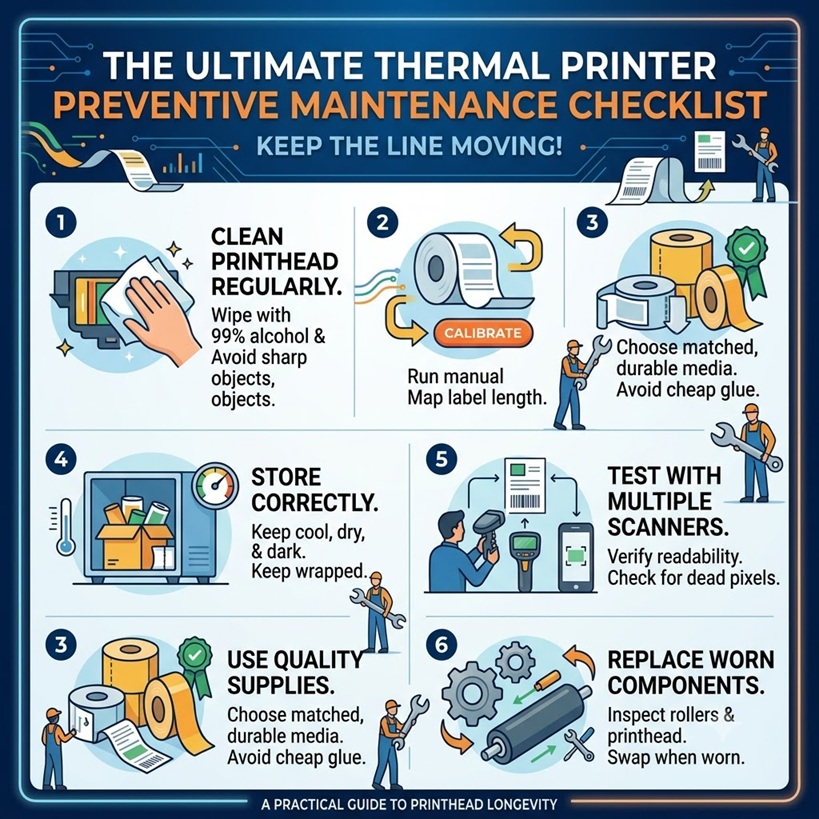
The Ultimate Thermal Printer Preventive Maintenance Checklist
The Ultimate Thermal Printer Preventive Maintenance Checklist
If you run a warehouse, a logistics hub, or a busy retail operation, you already know that your thermal barcode printers are the unsung heroes of your workflow. When they work, everything flows. But when a printhead fails or a roller gets gummed up with adhesive, the line stops. Packages pile up, shipping windows are missed, and everyone gets stressed.
The good news? Most thermal printer failures are entirely preventable. By implementing a consistent preventive maintenance routine, you can easily double the lifespan of your printheads, cut your media waste in half, and keep your operations running smoothly.
Here is your comprehensive, step-by-step guide and practical checklist to mastering thermal printer maintenance.
The Anatomy of a Thermal Printer: What Goes Wrong?
Before we jump into the cleaning steps, it helps to understand exactly what we are trying to protect. Unlike standard desktop printers, industrial thermal printers use intense direct heat to create crisp barcode images. This environment creates three main enemies:
- Adhesive Build-up: Every time a label peels through the printer, microscopic amounts of glue bleed from the edges. Over time, this glue forms a sticky residue that catches dust and shreds paper.
- Paper Dust: Labels and backing paper are naturally abrasive. As they slide through the media path, they shed a fine white dust that acts like sandpaper on delicate components.
- Electrostatic Discharge (ESD): Dust and friction create static electricity. If a printhead builds up too much static charge, it can literally short-circuit the heating elements.
By targeting these three areas, your maintenance routine prevents the vast majority of common printer issues.
The Ultimate Preventive Maintenance Checklist
To make this easy to implement for your team, print out or save this standard operating procedure. For a high-volume operation, we recommend performing this checklist every time you change a roll of labels or ribbon.
1. Clean the Printhead Regularly
The printhead is the most expensive and delicate part of your printer. It contains a tight row of tiny heating elements that transfer images onto your labels. If dust or baked-on ribbon residue covers these elements, heat cannot transfer properly, leading to faded barcodes or dead pixels.
- How to do it: Turn off the printer and open the printhead assembly. Let it cool down for a minute so you don't crack the ceramic element. Take a lint-free wipe or a specialized thermal cleaning swab soaked in 99% Isopropyl Alcohol (IPA). Wipe firmly across the printhead line in a single direction.
- Pro Tip: Never use a scrubbing motion, and never use anything metallic or sharp (like a screwdriver or utility knife) to scrape off stuck glue. You will scratch the protective coating and permanently ruin the printhead.
2. Calibrate After Changing Media
Printers track labels using sensors that detect either a gap between labels, a notch, or a black mark on the backing paper. If you switch from a 4x6 shipping label to a small inventory tag, or change to a different brand of media, the printer's sensors can get confused. This leads to skipped labels, misaligned text, or frustrating "Media Out" errors.
- How to do it: Most industrial printers have a dedicated "Calibrate" button or a calibration routine built into the LCD menu. Run a manual calibration whenever you load a new batch or style of labels. The printer will feed a few labels through to map out the exact length and sensor position.
- Why it matters: Proper calibration stops the printer from dragging or hunting for the start of a label, reducing mechanical stress on the motor and feeding gears.
3. Use Quality Labels and Ribbons
It is incredibly tempting to buy cheap, off-brand labels and ribbons to save a few pennies. However, bargain media is a classic example of "saving a penny to spend a dollar." Cheap labels often feature uneven adhesive that bleeds into the printer mechanism, and abrasive papers that wear down printheads prematurely.
- What to look for: Choose matched components from reputable manufacturers. If you are using thermal transfer printing, make sure your ribbon is slightly wider than your label backing paper.
- The hidden secret: The ribbon actually acts as a smooth, protective lubricant between the rough paper backing and the intense heat of the printhead. If your ribbon is narrower than your paper, the edge of the paper will grind directly against the printhead, carving a permanent groove into the ceramic.
4. Store Supplies Correctly
Your maintenance routine starts before the media even touches the printer. Thermal papers and chemical ribbons are highly sensitive to their environment. If stored incorrectly, they degrade before you ever unwrap them.
- Storage guidelines: Store all extra label rolls and ribbons in a cool, dry, and dark place. Keep them inside their original boxes or plastic wrapping until the moment you need them.
- The risk: Excess humidity causes labels to curl and jam, while high temperatures can "pre-activate" direct thermal paper, turning it gray or spotty. Dust settled on an exposed roll of labels acts like a file on your printhead once it starts feeding through the machine.
5. Test with Multiple Scanners
Just because a barcode looks sharp to your eyes doesn't mean a computer can read it. A printhead element might be failing subtly, creating a microscopic white line through a barcode that stops a warehouse scanner dead in its tracks.
- The test procedure: As part of your regular maintenance check, print a test label and scan it using the different types of scanners used across your facility-such as rugged long-range warehouse guns, hands-free ring scanners, and even smartphone cameras if applicable.
- Why diversify? Different laser and imaging technologies have varying levels of tolerance. Catching a fading or failing printhead during a maintenance check prevents a bad batch of labels from reaching your shipping dock or your customers.
6. Replace Worn Rollers and Printheads
No matter how perfectly you clean your equipment, thermal printers use consumable parts that eventually wear down from sheer physical friction. The two main culprits are the printhead and the platen roller (the rubber roller directly beneath the printhead).
- Inspecting the Platen Roller: Over time, the rubber roller loses its grip, develops flat spots, or gets cut by knives and labels. A worn or pitted platen roller creates uneven printing pressure, forcing you to turn up the printhead darkness (which burns out the printhead faster). If it looks smooth, shiny, or has gouges, replace it.
- Knowing when to retire a printhead: Printheads are rated by the number of inches printed (usually between 1 million to 2 million inches depending on care). If you notice permanent vertical white lines running through your text and barcodes even after a thorough alcohol cleaning, it means elements have burned out and the printhead must be replaced.
Quick Reference Summary Table
|
Maintenance Task |
Recommended Frequency |
Key Benefit |
|
Clean the Printhead |
Every roll change (direct thermal or thermal transfer) |
Prevents faded spots; doubles printhead life. |
|
Media Calibration |
Every time you change media types or sizes |
Stops label skipping and alignment errors. |
|
Platen Roller Inspection |
Weekly |
Ensures even print pressure; prevents slipping. |
|
Scanner Verification Testing |
Daily / Shift Change |
Catches unreadable barcodes before they leave the floor. |
Implementation: How to Build the Habit
The biggest challenge with preventive maintenance isn't learning how to do it-it's ensuring your team actually follows through.
The easiest way to build the habit is to attach a Cleaning Kit directly to every printer station. Keep a box of Isopropyl alcohol wipes, clean microfiber cloths, and a small handheld air blower right next to the replacement label rolls. When cleaning the machine takes less than 60 seconds and doesn't require a trip across the warehouse to find supplies, your operators will actually do it.
Taking care of your thermal printers takes minimal effort, but the payoff is massive. Less downtime, lower repair bills, and a completely seamless shipping process.